

Logo shown is the property of Zanda, used for identification purposes only.
Get Zanda Pricing & Demo
Compare plans, book a live demo, and see how Zanda fits your practice.
Zanda, formerly Power Diary, is a cloud practice management platform used by practices for scheduling, client records, online forms, invoicing and communication. Tell us about your practice and we'll return current pricing.
Key takeaways
Zanda, previously known as Power Diary, is a cloud-based practice management platform for practices, covering scheduling, client records, online forms, invoicing and communication in one system. Public feedback commonly highlights the calendar, reminders and responsive support, while recurring criticisms mention that some reporting and customisation options take time to configure and that a few workflows feel more suited to smaller teams.
See the plan that fits your practice
Share a few details and we'll send Zanda pricing matched to your practice size.
Independent guidance
Software Finder is an independent software marketplace, not Zanda, and not affiliated with or endorsed by them.
By submitting, you agree to Software Finder's Terms of Service and Privacy Policy and consent to be contacted by Software Finder and one or more matchedsoftware vendors (which may include Zanda) about your request. You can opt out at any time.
Overview
What is Zanda?
Zanda is a cloud practice management platform used by practices to run day-to-day operations. It combines a multi-practitioner calendar, online booking, client records, online intake and consent forms, invoicing and payments, and client communication tools in one system. Practices use it to coordinate appointments across practitioners and locations, keep paperwork attached to each client, and handle billing without moving between separate tools. It was formerly marketed under the Power Diary name.
Best for
Zanda suits small to mid-sized practices and multi-practitioner groups that want scheduling, client admin and billing on a single cloud platform, with a standout automated reminder system that cuts no-shows without adding front-desk phone work.
Calendar management
A practice calendar built around appointments
Zanda gives practices a shared calendar covering multiple practitioners, rooms and locations, with online booking, waitlists, recurring appointments and automated reminders. Front-desk staff and practitioners work from the same view, so schedule changes flow through the practice without duplicate entry.
- Multi-practitioner, multi-location scheduling
- Online booking and waitlist management
- Automated SMS and email reminders
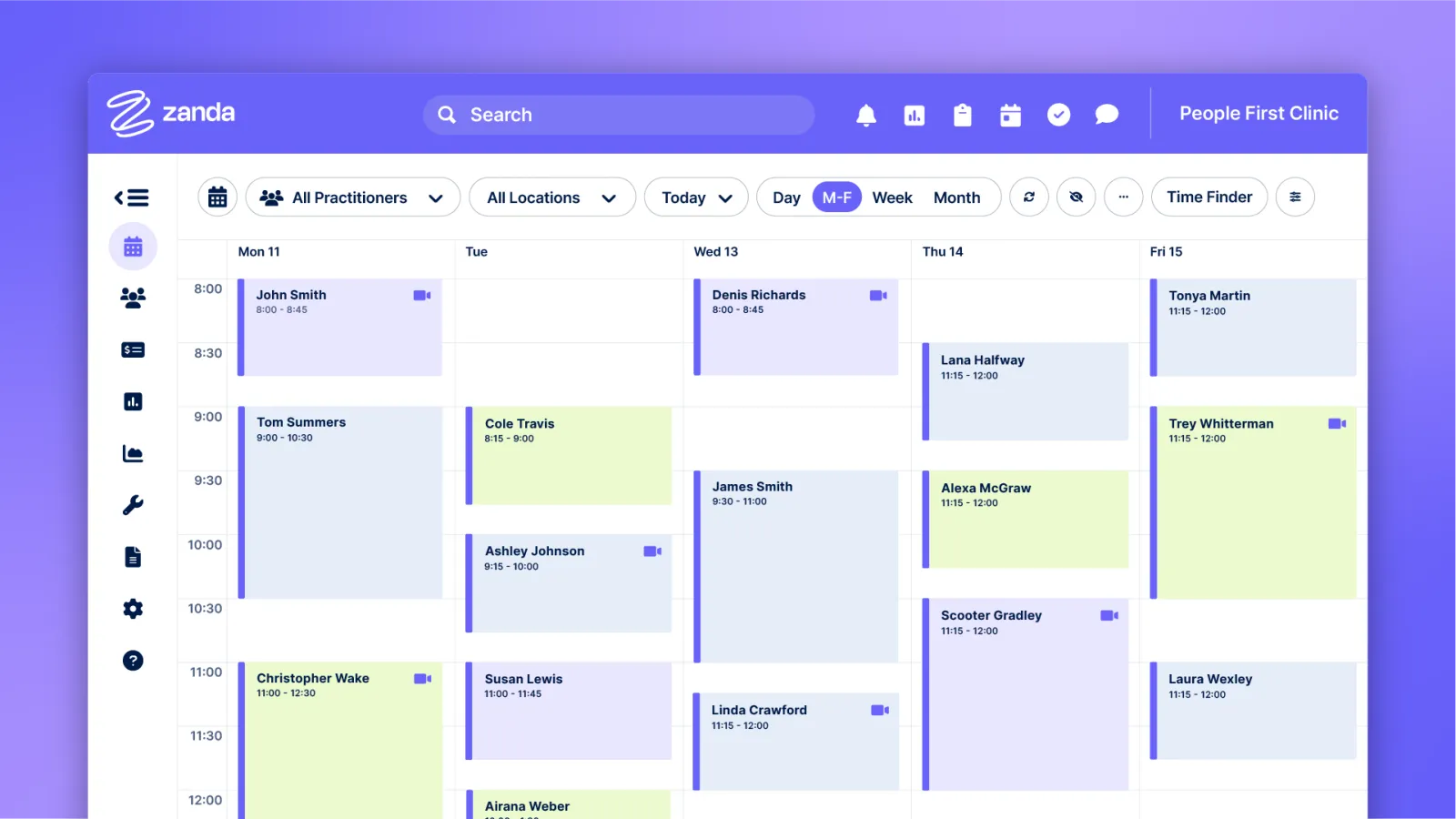
Screenshots sourced from Zanda's publicly available materials and shown for identification and review purposes. Interface shown may differ from the current release.
Client records and forms
Client details, forms and files in one place
Each client file holds contact details, appointment history, intake and consent forms, documents and correspondence. Online forms are completed by the client before the visit and flow straight into the file, so the front desk is not chasing paperwork on the day.
- Client details, files and correspondence together
- Online intake and consent forms sent ahead of the visit
- Client portal access for bookings and paperwork
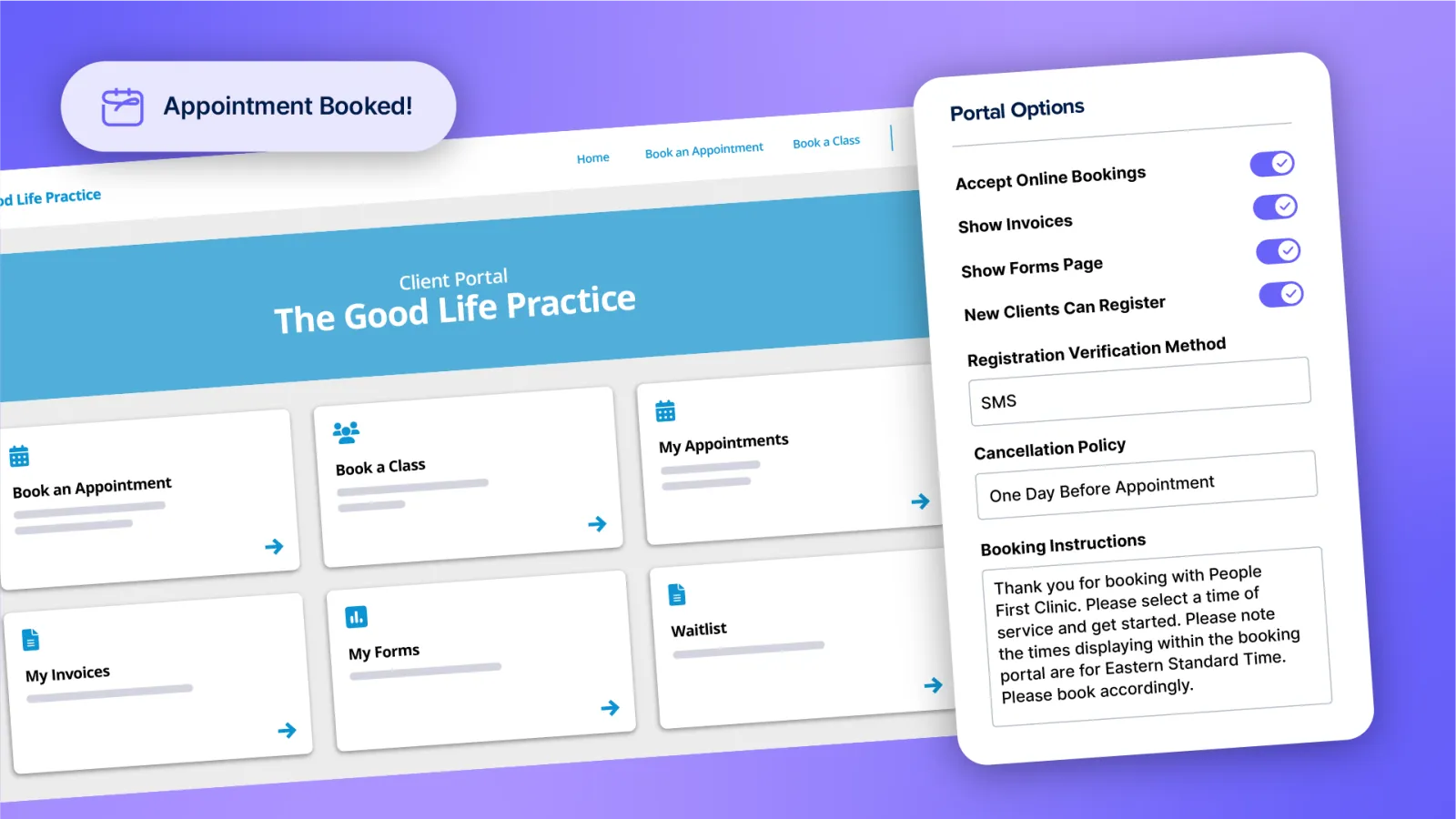
Screenshots sourced from Zanda's publicly available materials and shown for identification and review purposes. Interface shown may differ from the current release.
Invoicing and claiming
Billing, payments and claims in the same workflow
Invoices are generated from appointments, with payment tracking, client balances and integrated claiming so the front desk can close out a visit in one place. Practice owners get visibility over outstanding balances without exporting to a separate finance tool.
- Invoices generated from the appointment
- Payment capture and outstanding balance tracking
- Integrated claiming and remittance handling
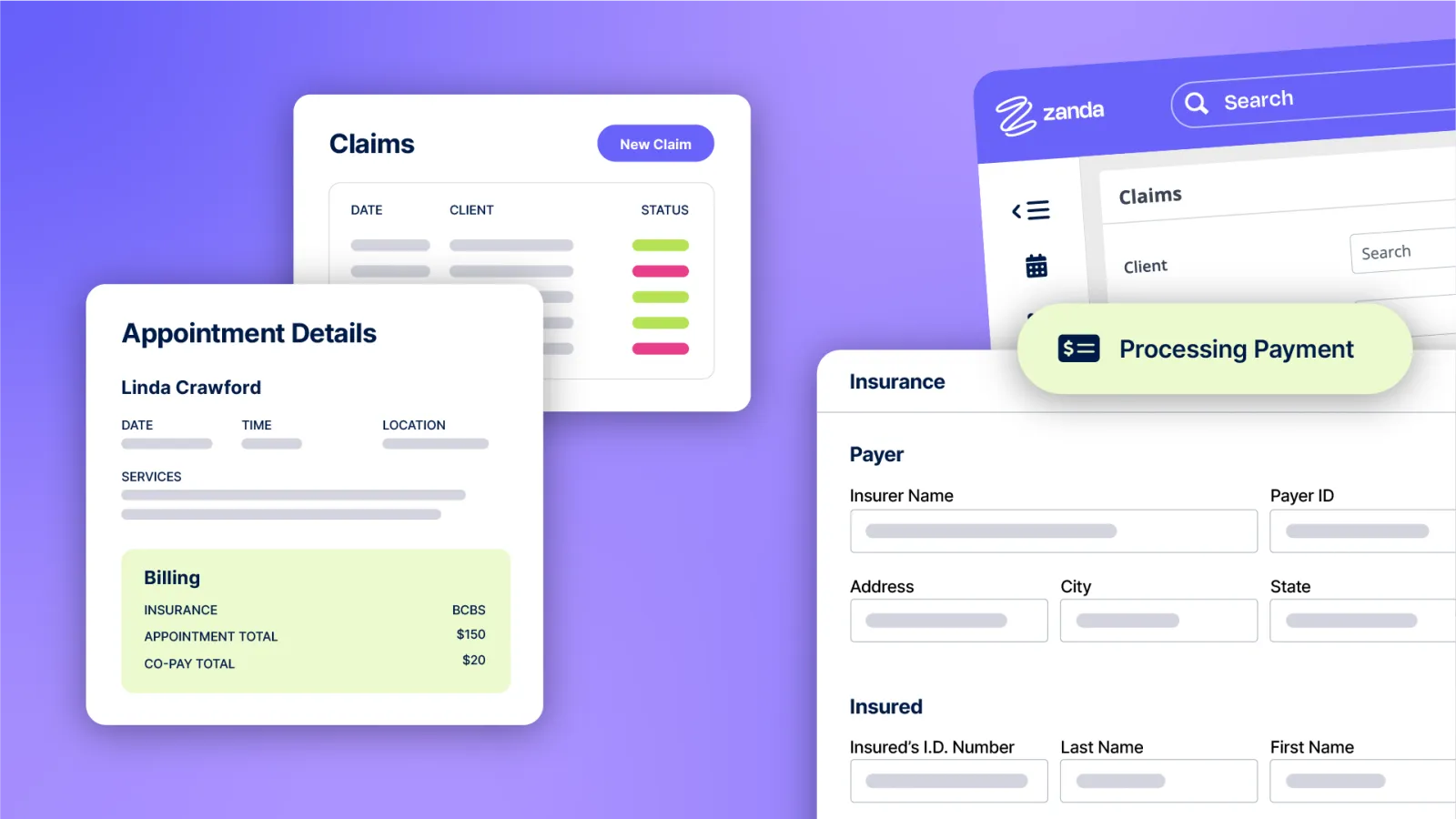
Screenshots sourced from Zanda's publicly available materials and shown for identification and review purposes. Interface shown may differ from the current release.
Pricing
How much does Zanda cost?
Zanda is generally quoted per practitioner on a monthly subscription, with the total shaped by how many practitioners are on the calendar, the communication volume you send and whether you add claiming features.
Get PricingSingle practitioner
Calendar, client records, forms and invoicing for one practitioner.
Multi-practitioner
Adds shared calendars, rooms and locations for growing teams.
Larger practice
Scales across a bigger practitioner roster with fuller reporting.
Across public reviews, Zanda is rated well for its calendar, automated reminders and customer support. Some reviewers note that reporting and deeper customisation take time to set up, and that certain workflows suit smaller teams better than large groups.
Plan details are based on publicly available third-party information and industry benchmarks. Actual costs may vary.
Who it's for
Who is Zanda for?
Who it's not for
Use cases
Common ways teams use Zanda
Coordinating a multi-practitioner calendar
Run appointments across practitioners, rooms and locations from one shared schedule.
Reducing no-shows
Send automated SMS and email reminders so fewer appointments go unattended.
Keeping paperwork with the client
Keep forms, documents and correspondence against the client file.
Closing out the visit
Raise the invoice, take payment and track outstanding balances in the same workflow.
What users say
Aggregated from public reviews, sentiment toward Zanda is largely positive among small and mid-sized practices. Reviewers frequently point to the calendar, the automated reminder system, the ease of getting started and responsive support. Recurring criticisms include reporting that takes configuration to get right, customisation options that require setup time, and some workflows that fit smaller teams better than large multi-site groups.
Features
Zanda features
Capabilities listed on the official site, summarised in our own words. Exact availability varies by plan.
Calendar management
Shared scheduling across practitioners, rooms and locations with recurring appointments and waitlists.
Client management
Central client records with contact details, history, documents and correspondence.
Record keeping
Client files that keep appointments, documents and correspondence together.
Online forms
Send intake and consent forms that flow straight into the client record.
SMS and email communication
Automated reminders, confirmations and two-way messaging with clients.
Invoices and payments
Generate invoices from appointments, capture payments and track balances.
Reports and analytics
Track appointment volume, practitioner activity and practice performance.
Pros & cons
Zanda pros and cons
Pros
- Calendar is easy to run across multiple practitioners
- Automated reminders noticeably reduce no-shows
- Files, forms and billing sit with the client record
- Cloud-based, so staff can work from anywhere
- Support is frequently described as responsive
- Straightforward to get a small practice up and running
Cons
- Reporting takes configuration to get the views you want
- Deeper customisation has a setup learning curve
- Some workflows suit smaller teams more than large groups
FAQ
Common questions about Zanda
Request a demo
Share a few details and we'll help arrange a Zanda walkthrough for your workflow.
Software Finder is an independent software marketplace, not Zanda, and not affiliated with or endorsed by them.
By submitting, you agree to Software Finder's Terms of Service and Privacy Policy and consent to be contacted by Software Finder and one or more matchedsoftware vendors (which may include Zanda) about your request. You can opt out at any time.
Next step
Still comparing options? See Zanda in action.
Software Finder helps you gather the information that actually drives a software decision, a real walkthrough of Zanda and a clear view of how it compares to similar platforms.
- See Zanda in a live walkthrough
- Connect with the right team
- Compare against similar platforms
- Independent guidance