

Logo shown is the property of Symplast, used for identification purposes only.
Get Symplast Pricing & Demo
Explore connected clinical and practice workflows for your plastic surgery practice.
Symplast is a cloud-based, mobile-first EHR and practice management platform built for plastic surgery and aesthetic medicine. It connects patient records, scheduling, documentation, and communication. Practices outside these specialties should confirm whether its clinical workflows and implementation options fit their needs.
Get Symplast pricing for your practice
Share your practice details to request pricing matched to your requirements.
Independent guidance from Software Finder
Software Finder is an independent software marketplace, not Symplast, and not affiliated with or endorsed by them.
By submitting, you agree to Software Finder's Terms of Service and Privacy Policy and consent to be contacted by Software Finder and one or more matchedsoftware vendors (which may include Symplast) about your request. You can opt out at any time.
Key takeaways
Symplast brings clinical documentation, appointment scheduling, patient communication, and practice operations into a mobile-first platform. Its specialty focus is plastic surgery and aesthetic medicine. During evaluation, confirm the included modules, supported devices, data migration scope, and total implementation cost.
Overview
What is Symplast?
Symplast is an integrated medical software platform designed around plastic surgery workflows. Its EHR supports patient charts, customizable documentation, prescribing, and clinical media management. Practice management tools add scheduling, digital intake, reminders, and operational reporting. The platform also includes patient communication and AI-assisted documentation capabilities, with availability and package scope to confirm during a demo.
Best for
Symplast is best suited to plastic surgery practices seeking a connected clinical and operational workspace with mobile access. A standout feature is its combination of documentation and clinical photo management, which can help teams keep procedure-related records together. Buyers should review a real encounter, appointment workflow, and migration plan before choosing a package.
Clinical documentation
Keep patient records and procedure notes together
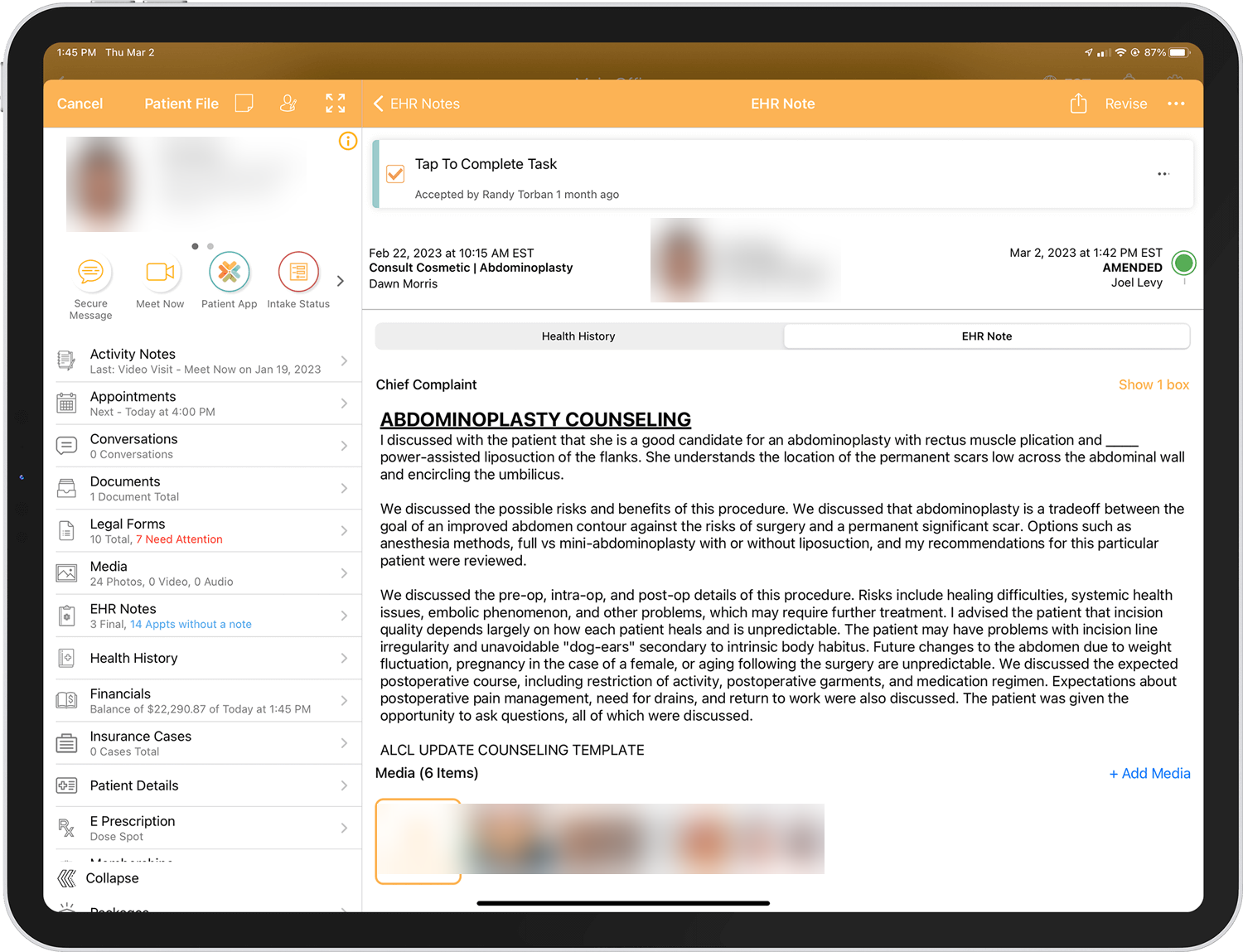
Symplast's EHR brings clinical notes, patient history, documents, and media into a connected workspace. Customizable templates and documentation tools support plastic surgery encounters, while mobile access helps clinicians review records on supported devices.
- Customizable clinical templates and macros
- Patient history, documents, and clinical media
- Mobile-first encounter documentation
Screenshots sourced from Symplast's publicly available materials and shown for identification and review purposes. Interface shown may differ from the current release.
Scheduling and appointments
Track patient flow from check-in to checkout
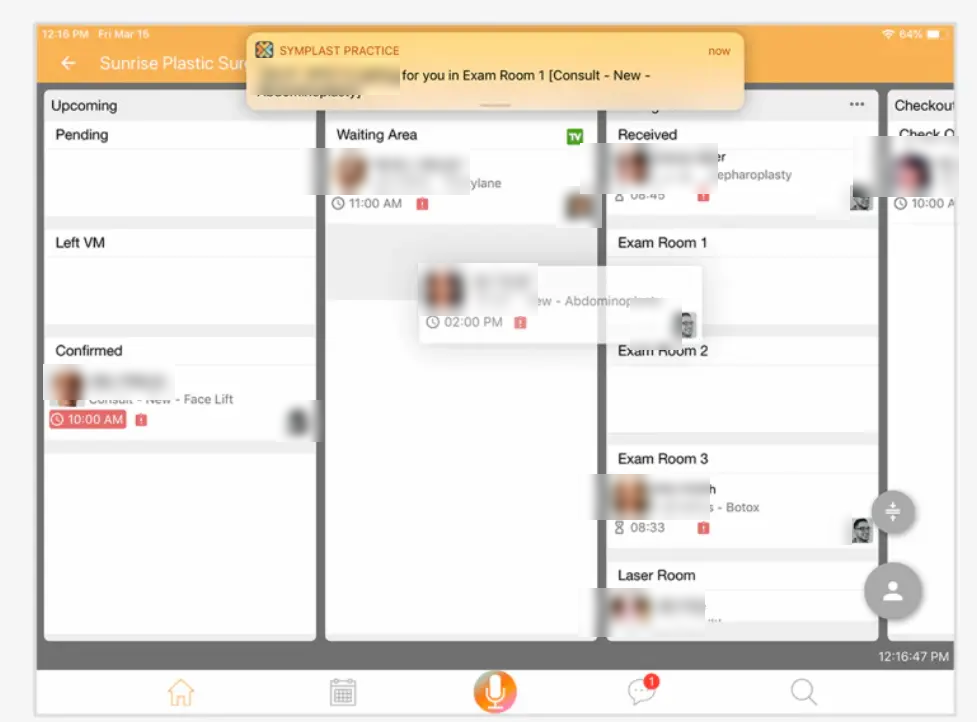
Symplast's scheduling tools connect appointment booking with a live patient flow view, so front-desk teams and providers see where every patient is. Appointment details, provider assignments, and room status are visible alongside the patient record.
- Live patient flow view from waiting area through checkout
- Appointment requests, reminders, and confirmation workflows
- Patient status tracking across rooms and providers
Screenshots sourced from Symplast's publicly available materials and shown for identification and review purposes. Interface shown may differ from the current release.
Patient communication
Stay connected with patients between visits
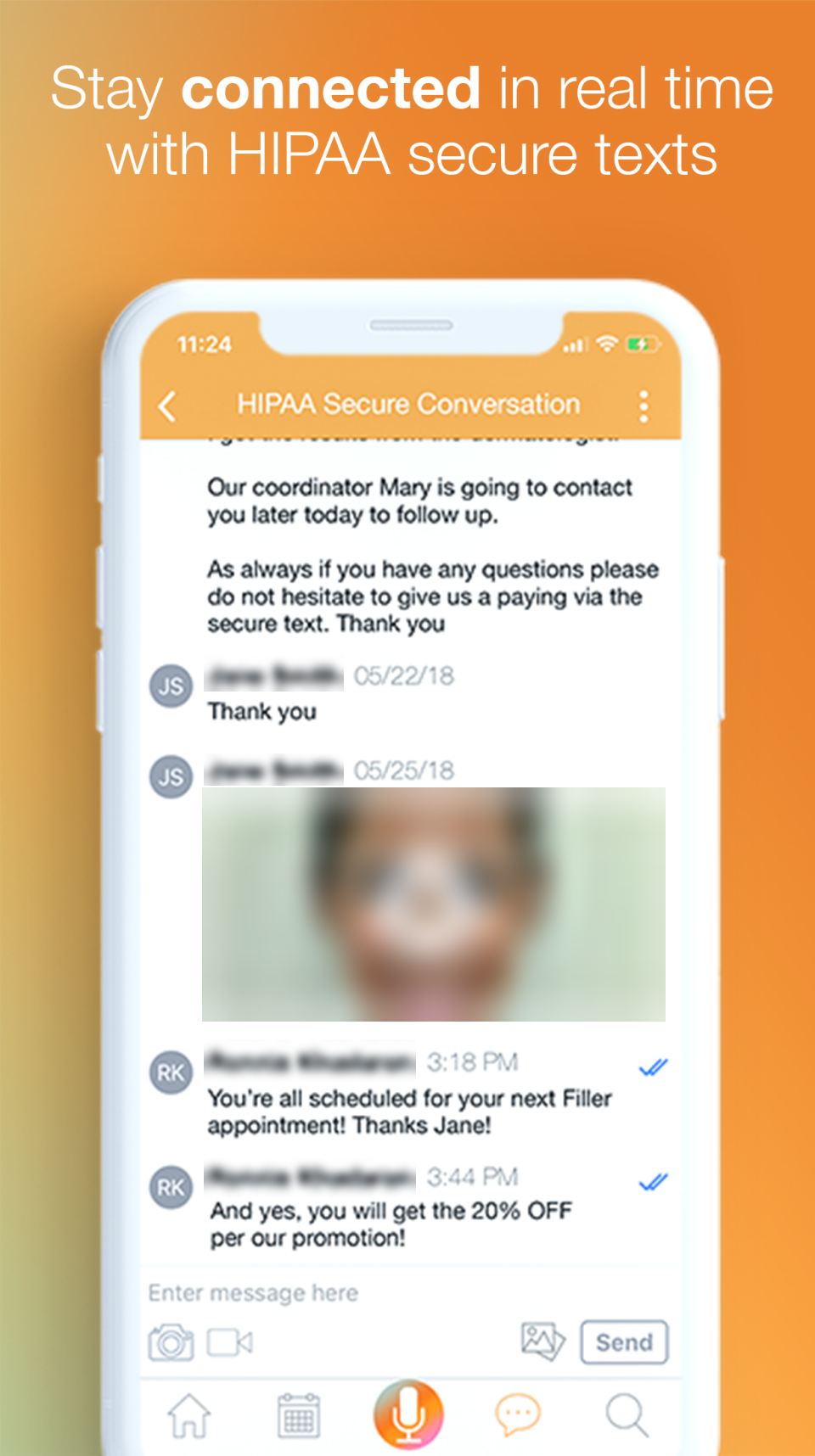
Symplast includes secure messaging so care teams can share updates, media, and instructions with patients from the platform. Conversations stay attached to the patient record, supporting HIPAA-conscious communication alongside photos and drawings.
- Secure two-way messaging in a HIPAA-conscious environment
- Share images, drawings, and documents with patients
- Conversations linked to each patient record
Screenshots sourced from Symplast's publicly available materials and shown for identification and review purposes. Interface shown may differ from the current release.
Pricing
How much does Symplast cost?
Request a current Symplast quote for your practice. Confirm the selected modules, implementation services, migration, and any additional charges before comparing total costs.
Get PricingClinical requirements
Discuss EHR, documentation, prescribing, and clinical media workflows.
Practice operations
Review scheduling, intake, patient communication, and reporting requirements.
Implementation scope
Confirm migration, training, supported devices, and ongoing support in your proposal.
These are evaluation areas, not published Symplast plan names. Final pricing and included services are confirmed by the vendor.
Who it's for
Who is Symplast for?
Use cases
Common ways teams use Symplast
Documenting clinical encounters
Use customizable templates and available AI-assisted documentation tools to capture patient visits.
Coordinating appointments
Connect appointment requests, scheduling, reminders, and patient status workflows.
Managing clinical media
Keep before-and-after images and annotated clinical media associated with patient records.
Preparing patients for visits
Collect digital intake and consent information and communicate through secure channels.
Features
Symplast features
Capabilities listed on the official site, summarised in our own words. Exact availability varies by plan.
Mobile-first EHR
Access patient charts and clinical workflows through supported mobile and web environments.
Customizable documentation
Clinical templates, macros, voice-to-text, and handwriting-to-text support encounter documentation.
AI Scribe and Ambient Listening
AI-assisted tools help produce encounter notes for clinician review.
Scheduling and digital intake
Appointment requests, reminders, intake forms, and patient status tools support practice operations.
Clinical media management
Before-and-after photo management, annotations, and secure storage support procedure documentation.
Patient communication
Secure messaging, digital consents, mobile e-signatures, and virtual consultations support patient engagement.
Pros & cons
Symplast pros and cons
Pros
- Designed around plastic surgery workflows
- Mobile-first clinical access
- Connected EHR and practice operations
- Clinical photo management
- AI-assisted documentation options
Cons
- Specialty fit needs review outside plastic surgery
- Pricing requires a current quote
- Migration scope depends on the source system
- Included modules and device requirements need confirmation
FAQ
Common questions about Symplast
Request a demo
Share a few details and we'll help arrange a Symplast walkthrough for your workflow.
Software Finder is an independent software marketplace, not Symplast, and not affiliated with or endorsed by them.
By submitting, you agree to Software Finder's Terms of Service and Privacy Policy and consent to be contacted by Software Finder and one or more matchedsoftware vendors (which may include Symplast) about your request. You can opt out at any time.
Next step
See how Symplast fits your practice.
Review the workflows your team uses every day, from patient intake and scheduling to clinical documentation and communication.
- Walk through a patient encounter
- Review scheduling and intake
- Explore clinical media management
- Discuss migration and implementation