

Logo shown is the property of Prompt, used for identification purposes only.
Get Prompt Pricing & Demo
Compare plans, book a live demo, and see how Prompt fits your therapy practice.
Prompt is an EMR and practice management platform built for rehab therapy, documentation, scheduling, billing and patient engagement in one system. Tell us about your clinic and we'll return current pricing.
Key takeaways
Prompt is a rehab therapy EMR used by physical, occupational and speech therapy clinics, from single locations to multi clinic groups. Public feedback commonly highlights the speed of documentation, the scheduling and billing workflow, and responsive support, while recurring criticisms mention the depth of configuration and the time it takes to learn the full system.
See the plan that fits your practice
Share a few details and we'll send Prompt pricing matched to your clinic setup.
Independent guidance
Software Finder is an independent software marketplace, not Prompt, and not affiliated with or endorsed by them.
By submitting, you agree to Software Finder's Terms of Service and Privacy Policy and consent to be contacted by Software Finder and one or more matchedsoftware vendors (which may include Prompt) about your request. You can opt out at any time.
Overview
What is Prompt?
Prompt is an electronic medical record and practice management platform built specifically for rehab therapy. It brings clinical documentation, scheduling, billing, reporting and patient engagement together in one system, with automation and assistive tooling aimed at reducing time spent on notes and administrative follow-up.
Best for
Prompt suits outpatient rehab therapy clinics, physical, occupational and speech therapy, chiropractic and pediatric therapy, from single site practices to multi clinic and enterprise groups.
Clinical documentation
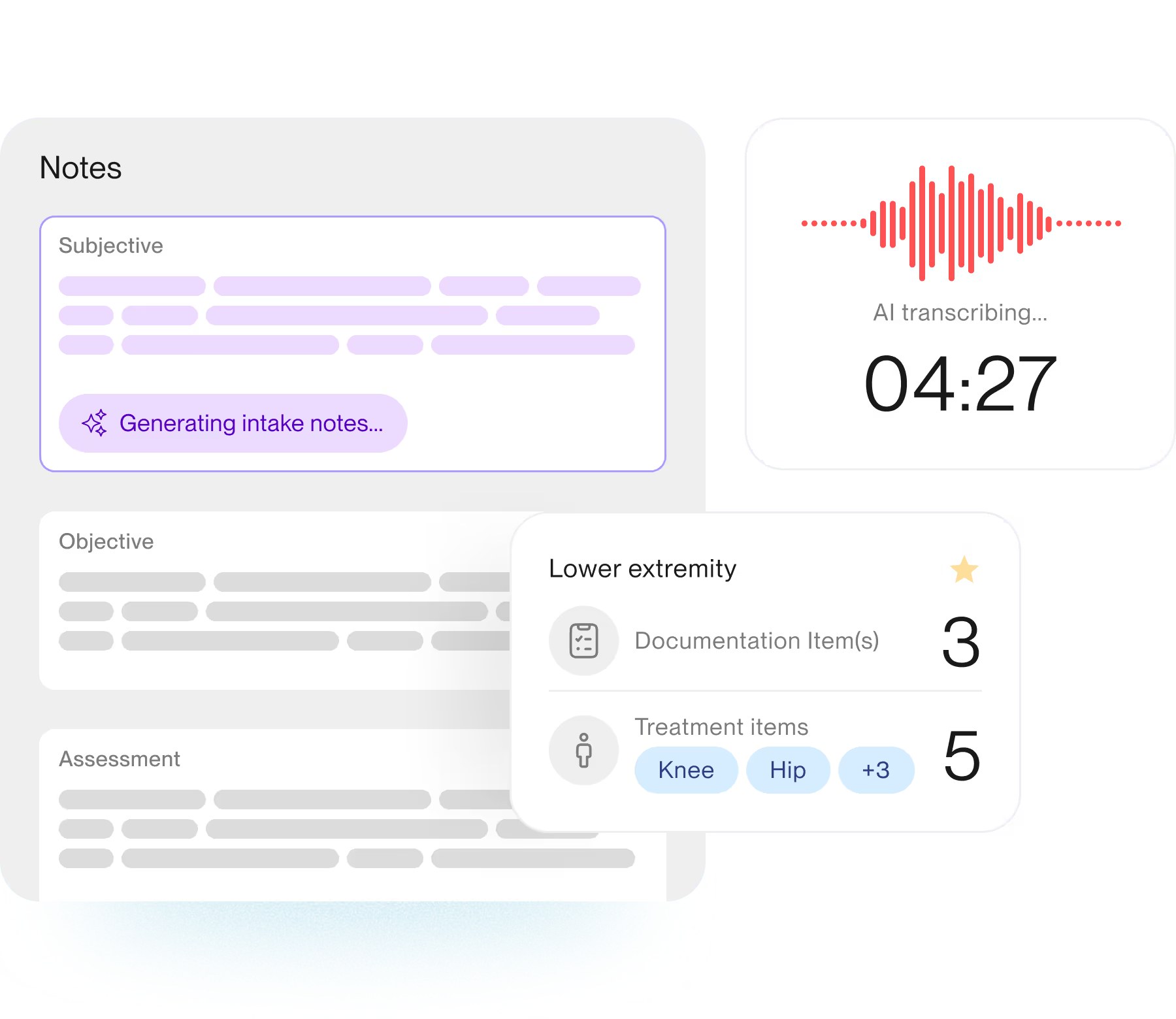
Finish notes closer to the end of the visit
Prompt keeps documentation inside the visit workflow, with structured note sections and assistive tools that draft the narrative while the clinician reviews and signs. Templates are built around rehab therapy encounters, so evaluations, daily notes and progress notes follow the same structure across the clinic.
- Structured subjective, objective and assessment sections
- Assistive drafting with clinician review before signing
- Templates shaped around rehab therapy encounters
Screenshots sourced from Prompt's publicly available materials and shown for identification and review purposes. Interface shown may differ from the current release.
Scheduling
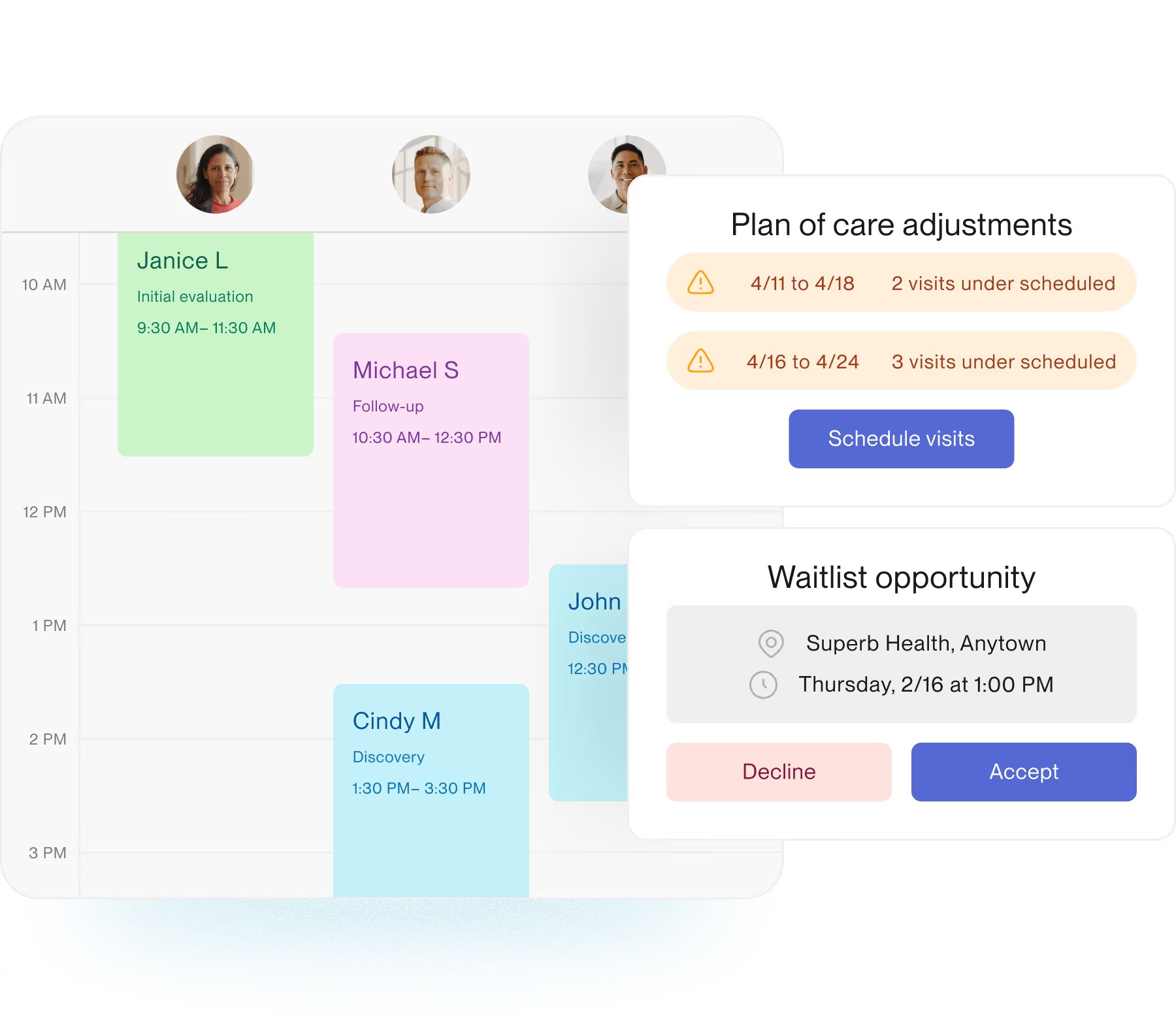
Keep the schedule full across clinicians and locations
The calendar shows each clinician's day side by side, with plan of care tracking that flags patients falling behind their visit cadence and a waitlist that helps fill openings when a slot frees up. Front office staff can act on both without leaving the schedule.
- Side by side clinician calendars
- Plan of care alerts for under scheduled patients
- Waitlist prompts to fill open appointment slots
Screenshots sourced from Prompt's publicly available materials and shown for identification and review purposes. Interface shown may differ from the current release.
Billing workflow
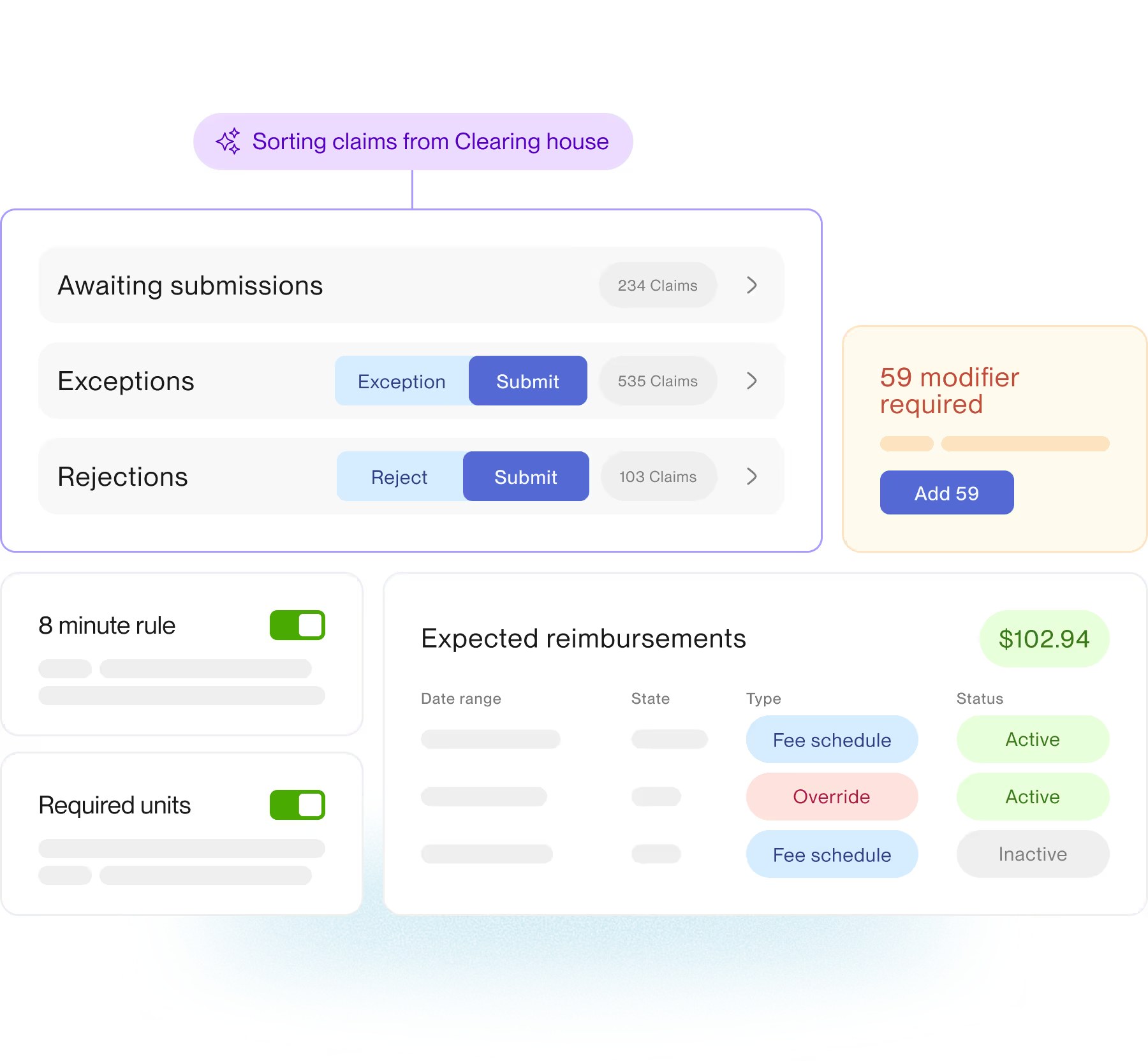
Work claims, exceptions and rejections in one queue
Billing work is grouped into claims awaiting submission, exceptions and rejections, so billers can triage the whole day from one screen. Compliance rules and expected reimbursement detail sit alongside the queue, which keeps corrections close to where the issue is surfaced.
- Queues for submissions, exceptions and rejections
- Rule checks surfaced before claims go out
- Expected reimbursement and fee schedule visibility
Screenshots sourced from Prompt's publicly available materials and shown for identification and review purposes. Interface shown may differ from the current release.
Pricing
How much does Prompt cost?
Prompt is generally quoted based on clinic size, clinician count and the modules included, such as core EMR plus patient engagement, assistive documentation or billing services. Implementation, training and data migration are typically part of the arrangement.
Get PricingCore EMR
Documentation, scheduling, billing and practice management.
EMR + engagement
Adds patient communication, check-in and home exercise tools.
Full platform
Adds assistive documentation, analytics and billing services.
Across public reviews, Prompt is rated well for documentation speed, scheduling workflow and support responsiveness. Some reviewers note it takes time to configure and learn everything the platform offers.
Plan details are based on publicly available third-party information and industry benchmarks. Actual costs may vary.
Who it's for
Who is Prompt for?
Who it's not for
Use cases
Common ways teams use Prompt
Documenting therapy visits
Capture evaluations, daily notes and progress notes tied to the plan of care.
Filling the clinic schedule
Coordinate clinician calendars, plan of care cadence and waitlist openings.
Working the claims queue
Triage submissions, exceptions and rejections from a single billing screen.
Keeping patients engaged
Handle check-in, reminders and home exercise follow-up between visits.
What users say
Aggregated from public reviews, sentiment toward Prompt is generally positive among rehab therapy clinics. Reviewers frequently point to faster documentation, the scheduling and billing workflow, and hands-on support. Recurring criticisms include the configuration depth, a learning curve for new staff, and occasional requests for more reporting flexibility.
Features
Prompt features
Capabilities listed on the official site, summarised in our own words. Exact availability varies by plan.
Clinical documentation
Evaluations, daily notes and progress notes structured for rehab therapy encounters.
Scheduling
Clinician, resource and multi location calendars with waitlist management.
Plan of care tracking
Alerts when patients fall behind the visit cadence in their plan of care.
Billing and claims
Submission, exception and rejection queues with rule checks before claims go out.
Patient engagement
Reminders, virtual check-in and home exercise follow-up between visits.
Reporting and analytics
Visibility into visit volume, clinician productivity and clinic performance.
Automation and assistive tooling
Automations and assistive drafting that reduce repetitive administrative work.
Pros & cons
Prompt pros and cons
Pros
- Purpose built for rehab therapy workflows
- Documentation, scheduling and billing on one platform
- Plan of care and waitlist tools that protect schedule utilisation
- Claim queues with rule checks before submission
- Scales from single clinics to multi location groups
- Frequently praised support in public reviews
Cons
- Configuration depth takes time to set up well
- Learning curve while staff adjust to the workflow
- Some reviewers ask for more reporting flexibility
FAQ
Common questions about Prompt
Request a demo
Share a few details and we'll help arrange a Prompt walkthrough for your workflow.
Software Finder is an independent software marketplace, not Prompt, and not affiliated with or endorsed by them.
By submitting, you agree to Software Finder's Terms of Service and Privacy Policy and consent to be contacted by Software Finder and one or more matchedsoftware vendors (which may include Prompt) about your request. You can opt out at any time.
Next step
Still comparing options? See Prompt in action.
Software Finder helps you gather the information that actually drives a software decision, a real walkthrough of Prompt and a clear view of how it compares to similar platforms.
- See Prompt in a live walkthrough
- Connect with the right team
- Compare against similar platforms
- Independent guidance