
Logo shown is the property of PrognoCIS, used for identification purposes only.
Get PrognoCIS Pricing & Demo
Compare plans, book a live demo, and see how PrognoCIS fits your practice.
PrognoCIS is an integrated EHR, practice management, and revenue cycle platform for ambulatory medical practices, with specialty-specific charting, scheduling, billing, patient engagement. Tell us about your practice and we'll return current pricing.
Key takeaways
PrognoCIS is an established EHR, practice management, and revenue cycle platform aimed at ambulatory practices across a range of specialties. Public feedback commonly highlights the breadth of the platform and the depth of its specialty-specific workflows, while recurring criticisms mention a learning curve during setup and an interface that can feel less modern than newer cloud-first products.
See the plan that fits your practice
Share a few details and we'll send PrognoCIS pricing matched to your clinical needs.
Independent guidance
Software Finder is an independent software marketplace, not PrognoCIS, and not affiliated with or endorsed by them.
By submitting, you agree to Software Finder's Terms of Service and Privacy Policy and consent to be contacted by Software Finder and one or more matchedsoftware vendors (which may include PrognoCIS) about your request. You can opt out at any time.
Overview
What is PrognoCIS?
PrognoCIS is an integrated electronic health record, practice management, and revenue cycle platform built for ambulatory, office-based medical practices. It brings specialty-ready clinical charting, scheduling, registration, claims, statements, reporting, telehealth, and a patient portal into one system. The platform supports the reporting practices need for quality programs and includes patient-facing tools such as online forms, messaging, and appointment reminders.
Best for
PrognoCIS suits small to mid-sized outpatient practices and specialty groups that want one platform for the clinical record, the business side of the practice, rather than stitching together separate EHR, PM, and billing vendors.
Clinical charting
Specialty-ready EHR built around the visit
PrognoCIS is designed for ambulatory practices, with specialty-specific templates, structured notes, and quick access to history, orders, and results inside a single chart. The workflow keeps clinicians moving through the encounter rather than jumping between disconnected screens.
- Specialty-specific templates and note workflows
- Orders, results, and history in one chart
- Structured documentation for reporting
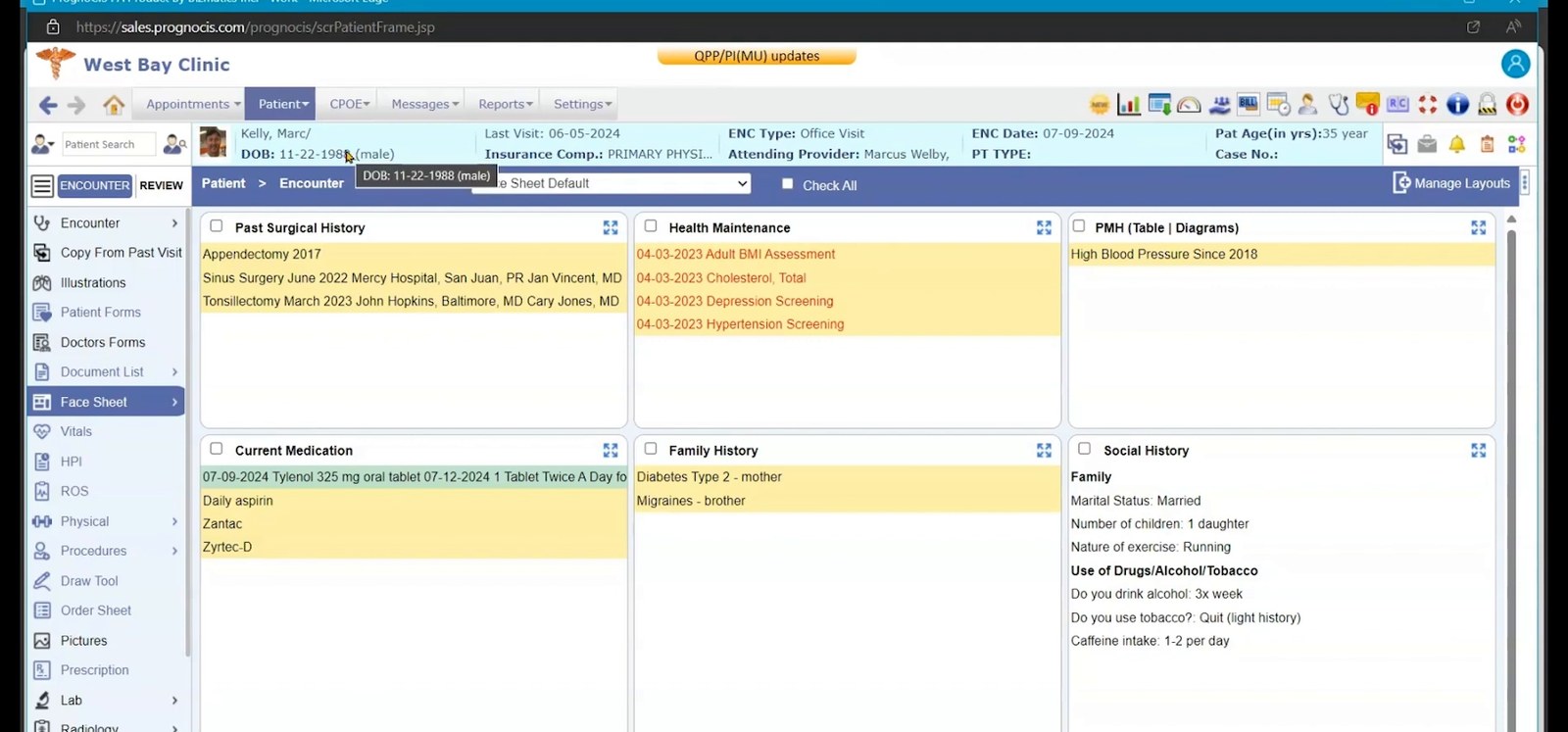
Screenshots sourced from PrognoCIS's publicly available materials and shown for identification and review purposes. Interface shown may differ from the current release.
Practice management
Scheduling, registration, and front-office workflow
The practice management side handles appointment scheduling, patient registration, eligibility verification, and the day-to-day front-desk work around each visit. Because it shares a database with the clinical record, updates flow across the practice without duplicate entry.
- Provider and multi-location scheduling
- Patient registration and eligibility checks
- Front-desk workflow tied to the chart
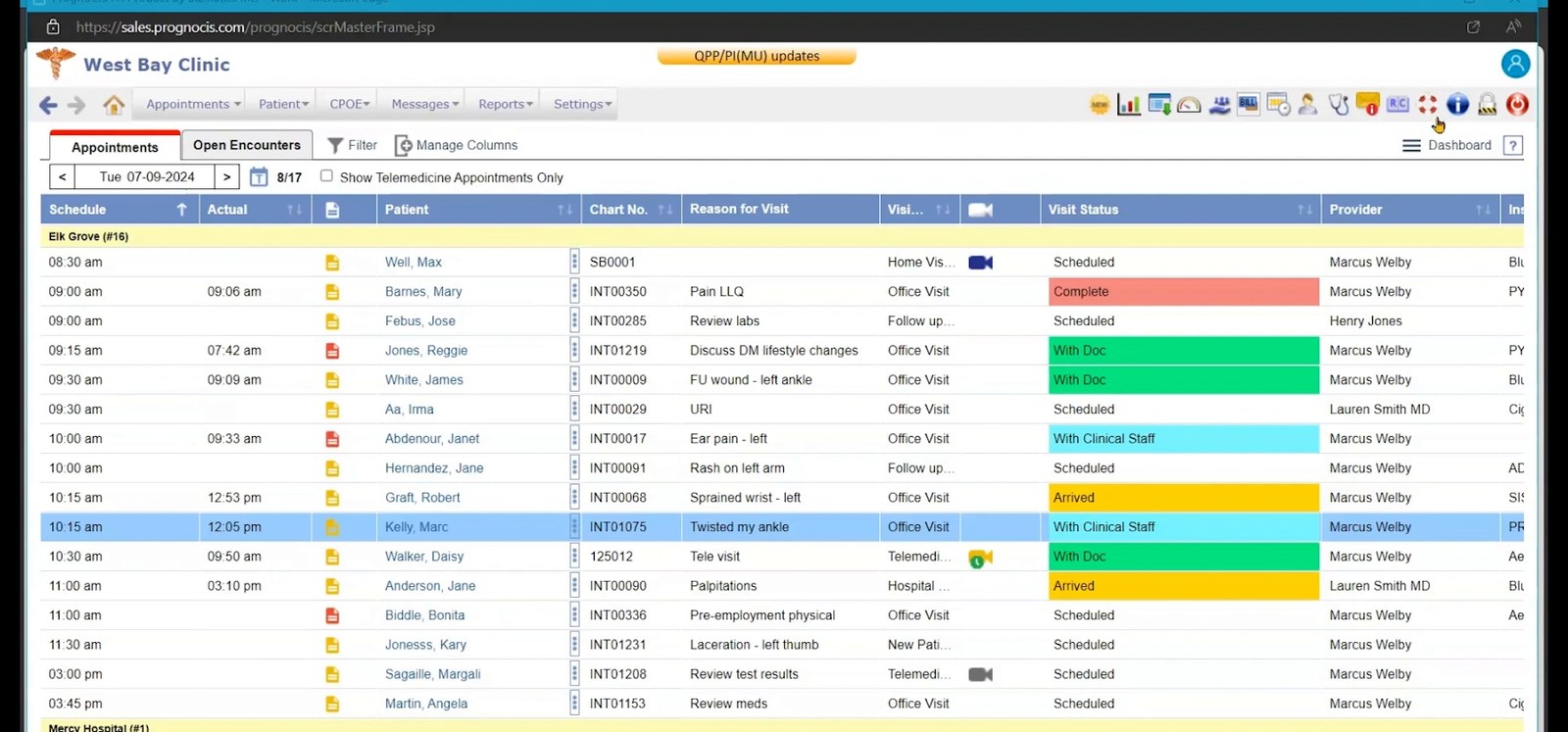
Screenshots sourced from PrognoCIS's publicly available materials and shown for identification and review purposes. Interface shown may differ from the current release.
Revenue cycle & patient engagement
Billing, RCM services, and patient-facing tools
PrognoCIS supports the full revenue cycle, claims, statements, denials, and reporting. Patient engagement tools such as a portal, online forms, telehealth, and reminders round out the platform.
- Claims, statements, and denial management
- Specialty-ready charting and reporting
- Patient portal, telehealth, and reminders
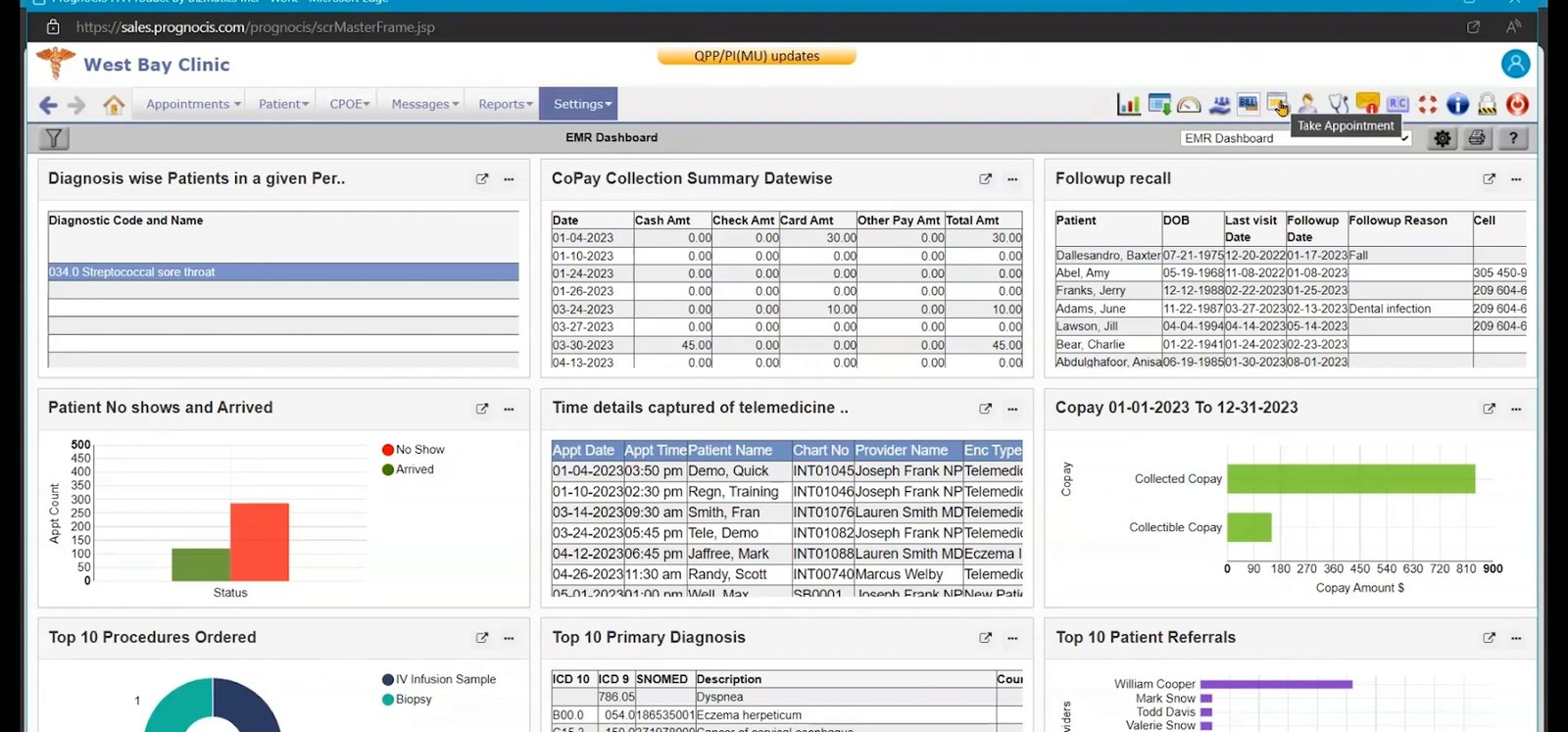
Screenshots sourced from PrognoCIS's publicly available materials and shown for identification and review purposes. Interface shown may differ from the current release.
Pricing
How much does PrognoCIS cost?
PrognoCIS is generally quoted per practice based on the number of providers, the modules included (clinical, practice management, billing, patient engagement, telehealth). Implementation and training are typically part of the arrangement.
Get PricingEHR
Clinical documentation, orders, results, and specialty templates.
EHR + practice management
Adds scheduling, registration, and front-office workflow.
Full suite + RCM
Adds billing, patient engagement, and optional managed revenue cycle services.
Across public reviews, PrognoCIS is rated well for the breadth of what one platform covers and for the depth of its specialty-specific workflows. Some reviewers describe the interface as less modern than newer cloud-first platforms and note that configuration takes time up front.
Plan details are based on publicly available third-party information and industry benchmarks. Actual costs may vary.
Who it's for
Who is PrognoCIS for?
Who it's not for
Use cases
Common ways teams use PrognoCIS
Documenting ambulatory visits
Capture the encounter, orders, and results in one specialty-ready chart tied to the appointment.
Running the practice schedule
Coordinate appointments across providers and locations with registration and eligibility built in.
Managing the revenue cycle
Move from the documented visit into claims, statements, and denial follow-up.
Engaging patients between visits
Use the portal, telehealth, online forms, and reminders to reduce phone volume and no-shows.
What users say
Aggregated from public reviews, sentiment toward PrognoCIS is broadly positive among office-based practices. Reviewers frequently point to the benefit of a single platform covering clinical, scheduling, billing, and patient engagement work. Recurring criticisms include a user interface that feels less modern than newer platforms, a learning curve for new staff, and configuration effort during implementation.
Features
PrognoCIS features
Capabilities listed on the official site, summarised in our own words. Exact availability varies by plan.
Specialty-ready EHR
Clinical documentation with specialty-specific templates, orders, results, and history in one chart.
Appointment scheduling
Manage provider calendars, appointment types, and multiple locations.
Patient registration and eligibility
Capture demographics and verify coverage before the visit.
Claims and statements
Submit claims, issue statements, and track outstanding balances.
Specialty workflows
Specialty-ready templates and order sets for family medicine, internal medicine, OB/GYN, and pain management.
Patient portal and telehealth
Give patients access to records, forms, messaging, and virtual visits online.
Appointment reminders
Send automated reminders to reduce no-shows and front-desk calls.
Pros & cons
PrognoCIS pros and cons
Pros
- Clinical, scheduling, and billing on one platform
- Specialty-specific templates for primary care, OB/GYN, and pain management
- Specialty-specific templates across many verticals
- Patient portal, telehealth, and reminders included
- Reporting for practice and quality programs
- Established product with a mature feature set
Cons
- Interface feels dated next to newer cloud platforms
- Learning curve for staff new to the system
- Implementation and configuration take planning
FAQ
Common questions about PrognoCIS
Request a demo
Share a few details and we'll help arrange a PrognoCIS walkthrough for your workflow.
Software Finder is an independent software marketplace, not PrognoCIS, and not affiliated with or endorsed by them.
By submitting, you agree to Software Finder's Terms of Service and Privacy Policy and consent to be contacted by Software Finder and one or more matchedsoftware vendors (which may include PrognoCIS) about your request. You can opt out at any time.
Next step
Still comparing options? See PrognoCIS in action.
Software Finder helps you gather the information that actually drives a software decision, a real walkthrough of PrognoCIS and a clear view of how it compares to similar platforms.
- See PrognoCIS in a live walkthrough
- Connect with the right team
- Compare against similar platforms
- Independent guidance