

Logo shown is the property of Praxis, used for identification purposes only.
Get Praxis Pricing & Demo
Compare plans, book a live demo, and see how Praxis fits your practice.
Praxis is a template-free electronic medical record that learns each clinician's documentation style instead of relying on fixed forms, paired with scheduling, billing, and reporting tools. Tell us about your practice and we'll return current pricing.
Key takeaways
Praxis is an electronic medical record built around template-free documentation: its Concept Processor learns from a clinician's own notes and suggests their wording rather than imposing standard forms. It also covers scheduling, patient records, billing, and reporting. Public feedback generally praises the natural, individualised notes and time saved once the system is trained, while common criticisms mention a learning curve early on and an interface that feels less modern than newer cloud EMRs.
See the plan that fits your practice
Share a few details and we'll send Praxis pricing matched to your clinical needs.
Independent guidance
Software Finder is an independent software marketplace, not Praxis, and not affiliated with or endorsed by them.
By submitting, you agree to Software Finder's Terms of Service and Privacy Policy and consent to be contacted by Software Finder and one or more matchedsoftware vendors (which may include Praxis) about your request. You can opt out at any time.
Overview
What is Praxis EMR?
Praxis is an electronic medical record and practice management system for outpatient medical practices. Its defining characteristic is a template-free design: rather than asking clinicians to complete standardised forms, the system's Concept Processor learns from each provider's previous documentation and suggests their own phrasing as they chart. Around that clinical record, Praxis provides scheduling, patient registration, coding and claims workflows, messaging, and practice reporting. It is used across a wide range of specialties and by practices of varying sizes, from solo providers to multi-provider groups.
Best for
Praxis suits clinicians who dislike template-driven charting and want notes that read in their own words, particularly specialty and small-to-mid-sized practices where documentation quality and speed matter more than a heavily standardised workflow.
Template-free charting
Charting that learns how each clinician documents
Praxis takes a template-free approach to documentation. Instead of forcing clinicians into fixed forms, its Concept Processor learns from previous notes and suggests the clinician's own wording as they chart, so notes stay in the provider's voice while getting faster over time.
- No fixed templates or drop-down-only notes
- Suggestions built from the clinician's own past notes
- Documentation speed improves with continued use
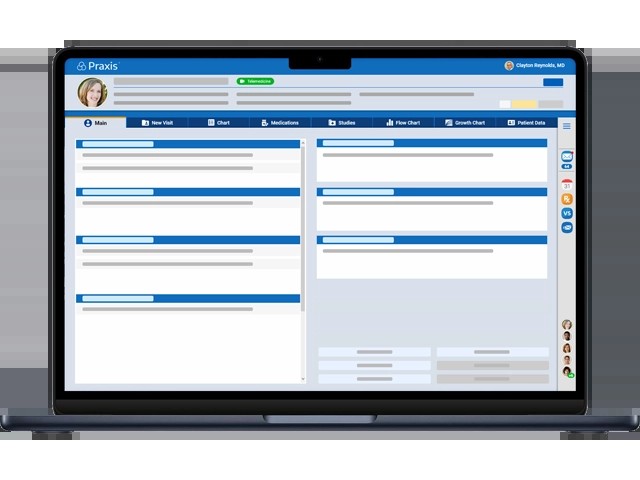
Screenshots sourced from Praxis's publicly available materials and shown for identification and review purposes. Interface shown may differ from the current release.
Practice management
Scheduling, patient records, and front-office workflow
Praxis pairs its clinical record with practice management tools covering appointment scheduling, patient registration, and day-to-day front-office tasks, so the schedule and the chart stay connected in a single system.
- Appointment scheduling across providers and locations
- Patient registration and demographic records
- Front-office tasks tied to the clinical record
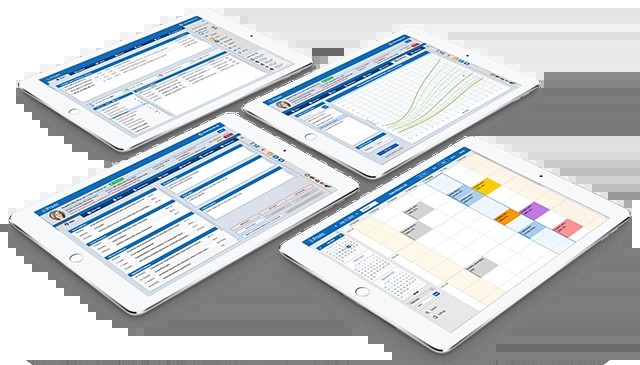
Screenshots sourced from Praxis's publicly available materials and shown for identification and review purposes. Interface shown may differ from the current release.
Billing & reporting
Claims, coding support, and practice reporting
Praxis supports coding and claims workflows alongside reporting on practice activity, giving administrators visibility into throughput and revenue cycle status without exporting to a separate system.
- Coding support tied to the documented encounter
- Claims and revenue cycle workflow
- Reporting on practice and provider activity
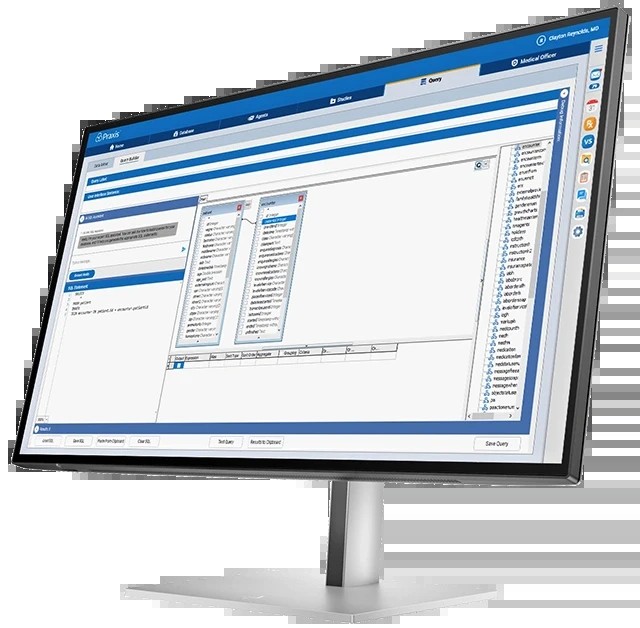
Screenshots sourced from Praxis's publicly available materials and shown for identification and review purposes. Interface shown may differ from the current release.
Pricing
How much does Praxis cost?
Praxis is generally offered on a per-provider basis, with the total depending on the number of clinicians, the modules included (such as practice management and billing), and whether deployment is cloud-hosted or on-premise.
Get PricingEMR
Template-free clinical documentation with the Concept Processor.
EMR + practice management
Adds scheduling, registration, and front-office workflow.
Full suite
Adds billing, claims, and practice reporting tools.
Across public reviews, Praxis is rated well for documentation quality and the flexibility of template-free notes. Some reviewers note that the system takes time to learn and to train, and that the interface feels dated compared with newer cloud-first platforms.
Plan details are based on publicly available third-party information and industry benchmarks. Actual costs may vary.
Who it's for
Who is Praxis for?
Who it's not for
Use cases
Common ways teams use Praxis
Documenting encounters without templates
Chart in your own words while the system suggests phrasing drawn from your previous notes.
Managing the practice schedule
Coordinate appointments across providers and locations alongside the clinical record.
Supporting coding and claims
Move from the documented encounter into coding and claims workflows within one system.
Reporting on practice activity
Review provider throughput and practice performance using built-in reporting.
What users say
Aggregated from public reviews, sentiment toward Praxis is broadly positive among clinicians who value narrative documentation. Reviewers frequently highlight that notes read naturally and that charting speeds up as the system learns their style. Recurring criticisms include an initial learning curve, the effort required to train the system, and a user interface that some find less modern than newer cloud EMRs.
Features
Praxis features
Capabilities listed on the official site, summarised in our own words. Exact availability varies by plan.
Template-free documentation
Charting built around each clinician's own language instead of fixed forms.
Concept Processor
Learns from previous notes and suggests relevant content as you document.
Appointment scheduling
Manage provider calendars, appointment types, and locations.
Patient records and registration
Maintain demographics, history, and encounter records in one chart.
Coding and claims support
Carry documented encounters through coding and claims workflows.
Practice reporting
Report on provider activity, throughput, and practice performance.
Cloud or on-premise deployment
Run the system hosted in the cloud or installed on local servers.
Pros & cons
Praxis pros and cons
Pros
- Notes read naturally in the clinician's own words
- Charting gets faster as the system learns
- Works across a wide range of specialties
- EMR and practice management in one system
- Cloud or on-premise deployment options
- Long-established product with a mature feature set
Cons
- Noticeable learning curve during the first weeks
- Requires time to train the system on your style
- Interface feels dated next to newer cloud EMRs
FAQ
Common questions about Praxis
Request a demo
Share a few details and we'll help arrange a Praxis walkthrough for your workflow.
Software Finder is an independent software marketplace, not Praxis, and not affiliated with or endorsed by them.
By submitting, you agree to Software Finder's Terms of Service and Privacy Policy and consent to be contacted by Software Finder and one or more matchedsoftware vendors (which may include Praxis) about your request. You can opt out at any time.
Next step
Still comparing options? See Praxis in action.
Software Finder helps you gather the information that actually drives a software decision, a real walkthrough of Praxis and a clear view of how it compares to similar platforms.
- See Praxis in a live walkthrough
- Connect with the right team
- Compare against similar platforms
- Independent guidance