

Logo is the property of Pabau and is shown for identification only.
Get Pabau Pricing & Demo
Compare plans, book a live demo, and see how Pabau fits your practice.
Software Finder is an independent software marketplace, not Pabau, and not affiliated with or endorsed by them.
See the plan that fits your practice
Share a few details and we'll send Pabau pricing matched to your practice needs.
Independent guidance
Software Finder is an independent software marketplace, not Pabau, and not affiliated with or endorsed by them.
By submitting, you agree to Software Finder's Terms of Service and Privacy Policy and consent to be contacted by Software Finder and one or more matchedsoftware vendors (which may include Pabau) about your request. You can opt out at any time.
Pabau is a cloud based practice management platform that brings scheduling, client records, payments, and patient communication into one place. Tell us about your practice and we'll return current pricing matched to your team size. Software Finder compares Pabau pricing for dermatology, cosmetic and plastic surgery clinics, medical aesthetics and med spas, and multi-location aesthetic groups.
Key takeaways
Pabau is a cloud based practice management platform covering scheduling, client records, online booking, payments, and automated patient communication. Public feedback commonly highlights the depth of the feature set and the quality of onboarding support, while recurring criticisms mention the time needed to configure the system for a specific practice workflow. Software Finder compares Pabau pricing for dermatology, cosmetic and plastic surgery clinics, medical aesthetics and med spas, and multi-location aesthetic groups.
Overview
What is Pabau?
Pabau is a cloud based practice management system that combines appointment scheduling, client records, online booking, payment processing, and automated communication in one platform. Front desk teams manage the calendar, bookings, and reminders, while providers work from the same client record. Built in marketing and reporting tools give practice owners visibility into revenue, rebooking, and daily activity without exporting data to separate systems.
Good fit for
Pabau suits independent practices and growing groups that want scheduling, records, payments, and patient communication in a single system instead of several tools stitched together.
Appointment booking
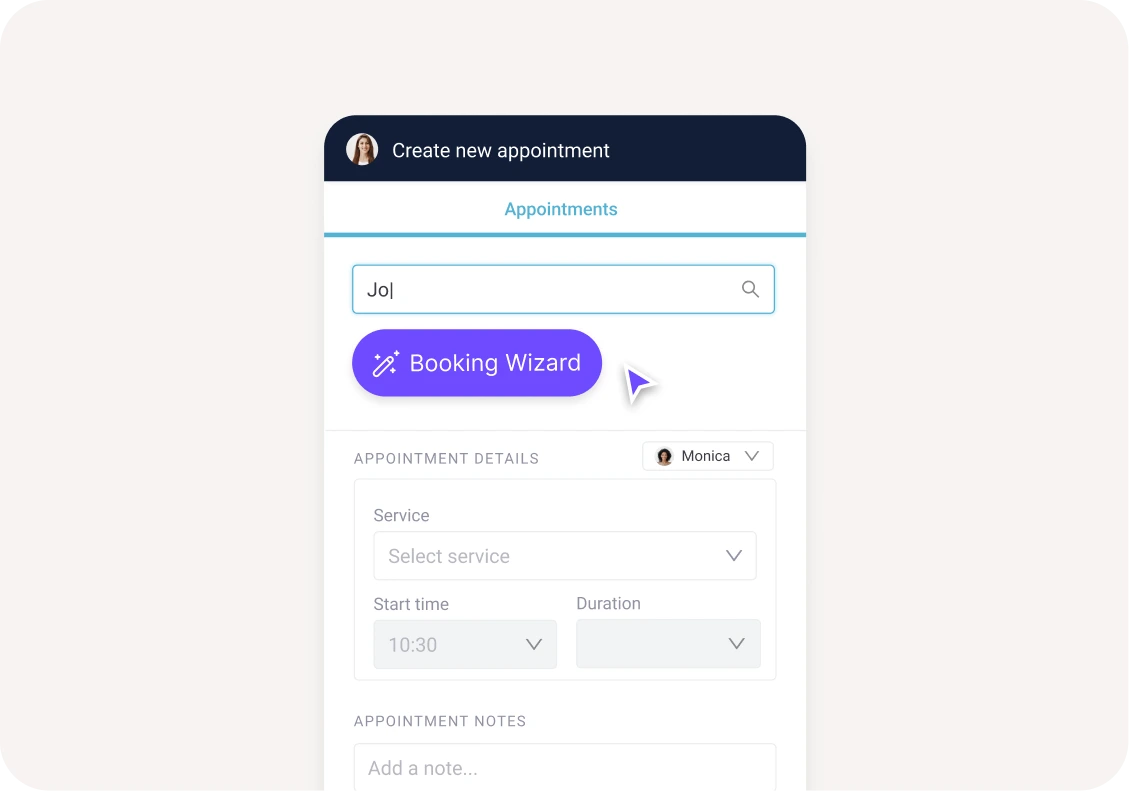
Book appointments in a few clicks with the Booking Wizard
The Pabau booking flow lets front desk staff search for a client, pick a service, set the start time and duration, and confirm the appointment from one screen. The Booking Wizard guides staff through the steps so bookings stay consistent.
- Client search built into the booking flow
- Service, start time, and duration in one panel
- Guided Booking Wizard for consistent scheduling
Screenshots sourced from Pabau's publicly available materials and shown for identification and review purposes. Interface shown may differ from the current release.
Rescheduling
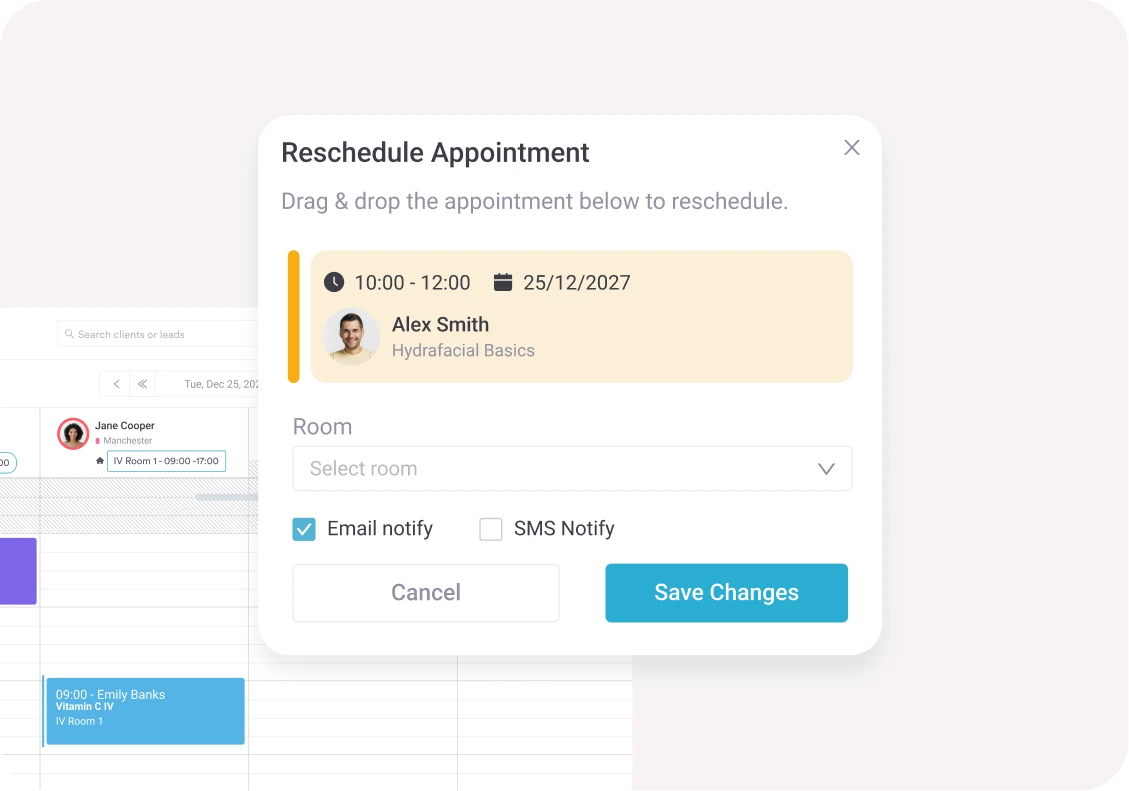
Reschedule appointments and notify clients automatically
Moving an appointment takes seconds. Staff select the new time and room, and Pabau can send an email or SMS notification to the client so schedule changes do not turn into phone tag.
- Drag and drop rescheduling
- Room selection alongside time changes
- Automatic email and SMS notifications
Screenshots sourced from Pabau's publicly available materials and shown for identification and review purposes. Interface shown may differ from the current release.
Waitlist
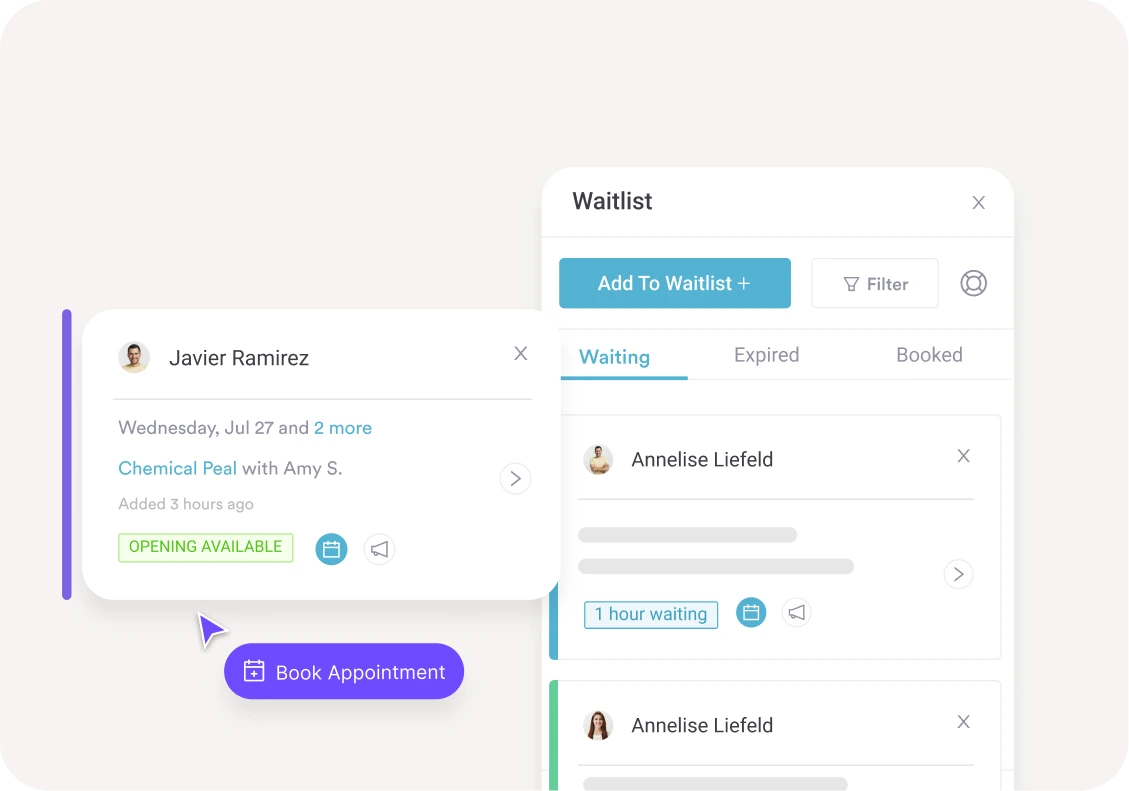
Fill cancellations from a live waitlist
The waitlist tracks clients who are waiting for an opening. When a slot frees up, staff can see who has been waiting longest and offer the appointment before it goes unfilled.
- Waiting, expired, and booked tabs
- Wait time shown per client
- Quick booking from an available opening
Screenshots sourced from Pabau's publicly available materials and shown for identification and review purposes. Interface shown may differ from the current release.
Pricing
How much does Pabau cost?
Pabau is generally quoted per user or per team and depends on the modules you include, such as scheduling, client records, online booking, payments, and marketing tools. Onboarding and data migration are typically part of the arrangement.
Get PricingCore
Scheduling, client records, and online booking.
Growth
Adds payments, packages, and automated communication.
Full suite
Adds marketing tools, reporting, and advanced configuration.
Across public reviews, Pabau is rated well for its feature depth and onboarding support. Some reviewers note that setup and configuration take time and that the breadth of options can feel heavy for very small teams.
Plan details are based on publicly available third party information and industry benchmarks. Actual costs may vary.
Primary specialties served
Primary specialties Pabau serves
Software Finder compares Pabau pricing for practices in these specialties.
Use cases
Common ways teams use Pabau
Running a busy front desk
Book, reschedule, and confirm appointments from one calendar with automatic client notifications.
Taking bookings online
Let patients request and book appointments online while staff keep control of the schedule.
Filling last minute gaps
Offer freed up slots to clients on the waitlist instead of leaving rooms and providers idle.
Tracking practice performance
Review revenue, rebooking, and daily activity from built in dashboards and reports.
Features
Pabau features
Capabilities listed on the official site, summarised in our own words. Exact availability varies by plan.
Scheduling calendar
Multi provider calendar with drag and drop booking, rescheduling, and room management.
Online booking
Patient facing booking portal with services, availability, and automated confirmations.
Client records
Central client profiles with visit history, documents, and communication in one place.
Payments and packages
Take payments, sell packages, and track balances directly from the appointment record.
Automated communication
Confirmations, reminders, and follow ups sent by email and SMS without manual work.
Waitlist management
Live waitlist with wait timers and quick booking when openings appear.
Reporting and insights
Dashboards covering revenue, rebooking rates, and day to day operational activity.
Pros & cons
Pabau pros and cons
Pros
- Scheduling, records, and payments in one platform
- Guided booking flow for front desk staff
- Automated email and SMS notifications
- Live waitlist to fill cancellations
- Online booking included
- Built in reporting dashboards
Cons
- Setup and configuration take time
- Feature breadth can feel heavy for very small teams
- Learning period for staff during rollout
FAQ
Common questions about Pabau
Ready to see Pabau pricing?
See Pabau in action
Request a walkthrough and we'll connect you with the right team to answer questions specific to your practice.
Software Finder is an independent software marketplace, not Pabau, and not affiliated with or endorsed by them.
By submitting, you agree to Software Finder's Terms of Service and Privacy Policy and consent to be contacted by Software Finder and one or more matchedsoftware vendors (which may include Pabau) about your request. You can opt out at any time.