
Logo is the property of OneTouch EMR and is shown for identification only.
Get OneTouch EMR Pricing & Demo
Compare plans, book a live demo, and see how OneTouch EMR fits your practice.
Software Finder is an independent software marketplace, not OneTouch EMR, and not affiliated with or endorsed by them.
See the plan that fits your practice
Share a few details and we'll send OneTouch EMR pricing matched to your practice needs.
Independent guidance
Software Finder is an independent software marketplace, not OneTouch EMR, and not affiliated with or endorsed by them.
By submitting, you agree to Software Finder's Terms of Service and Privacy Policy and consent to be contacted by Software Finder and one or more matchedsoftware vendors (which may include OneTouch EMR) about your request. You can opt out at any time.
OneTouch EMR is a cloud-based EMR and practice management platform with integrated scheduling, billing, patient portal, telemedicine, and voice documentation. Tell us about your practice and we'll return current pricing. Software Finder compares OneTouch EMR pricing for neurology, orthopedics, endocrinology, dermatology, and multi-specialty practices.
Key takeaways
OneTouch EMR is a cloud-based EMR and practice management platform built for independent outpatient practices. It combines clinical documentation, scheduling, billing, patient portal, telemedicine, and voice documentation in one system. Public feedback commonly highlights the familiar chart-based workflow and affordability for small practices, while recurring criticisms mention a dated interface and the time needed to configure templates. Software Finder compares OneTouch EMR pricing for neurology, orthopedics, endocrinology, dermatology, and multi-specialty practices.
Overview
What is OneTouch EMR?
OneTouch EMR is a cloud-based electronic medical record and practice management system with integrated scheduling, billing, patient portal, telemedicine, and voice documentation. It is designed for independent practices that want an all-in-one platform with a chart-based workflow. Because the clinical and administrative sides share one patient record, updates made at the front desk flow into the chart and vice versa.
Good fit for
OneTouch EMR suits independent outpatient practices and specialty groups that want an integrated EMR, practice management, and patient engagement platform with built-in telemedicine and voice documentation.
Clinical documentation
Document visits with structured templates and quick text entry
OneTouch EMR's charting interface organizes patient visits into familiar sections so providers can move from complaint to assessment without hunting through screens. Text search and drill-down menus help staff enter structured notes efficiently.
- Structured note sections for common workflows
- Quick text search and drill-down entry
- Integrated superbill and plan tabs
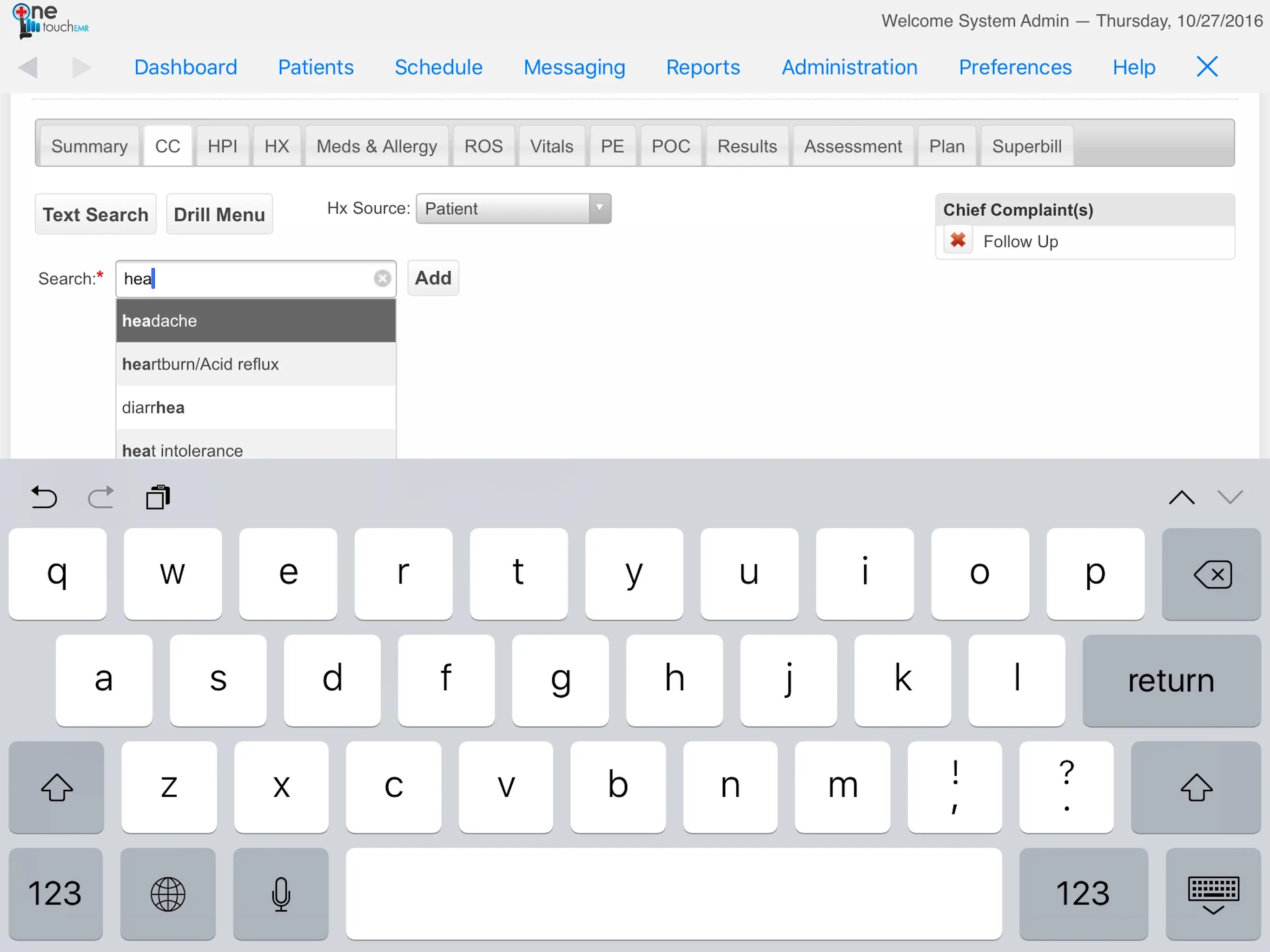
Screenshots sourced from OneTouch EMR's publicly available materials and shown for identification and review purposes. Interface shown may differ from the current release.
Voice documentation
Dictate notes directly into the chart
OneTouch EMR includes built-in voice recognition so providers can complete documentation by speaking rather than typing. This can reduce time spent on manual entry and help keep visit notes current.
- Built-in voice dictation in the chart
- Reduces manual typing for providers
- Supports faster note completion
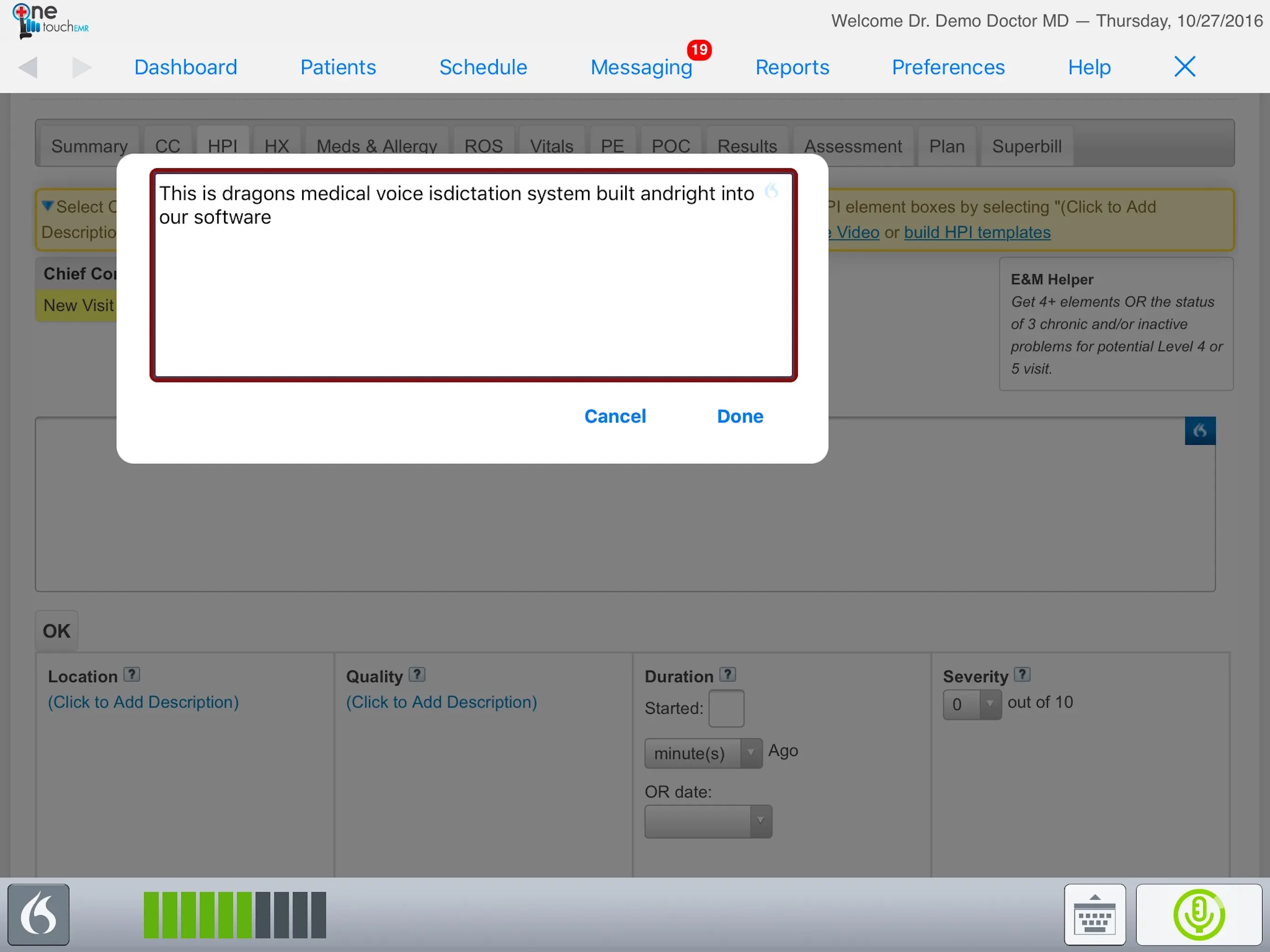
Screenshots sourced from OneTouch EMR's publicly available materials and shown for identification and review purposes. Interface shown may differ from the current release.
Practice management
Schedule visits and manage the front office
OneTouch EMR combines scheduling, registration, and billing workflows with the clinical record so front-desk and clinical staff share the same patient view. Appointments, eligibility checks, and claims flow from one platform.
- Integrated scheduling and registration
- Eligibility and claims workflow
- Single platform for front office and clinical staff
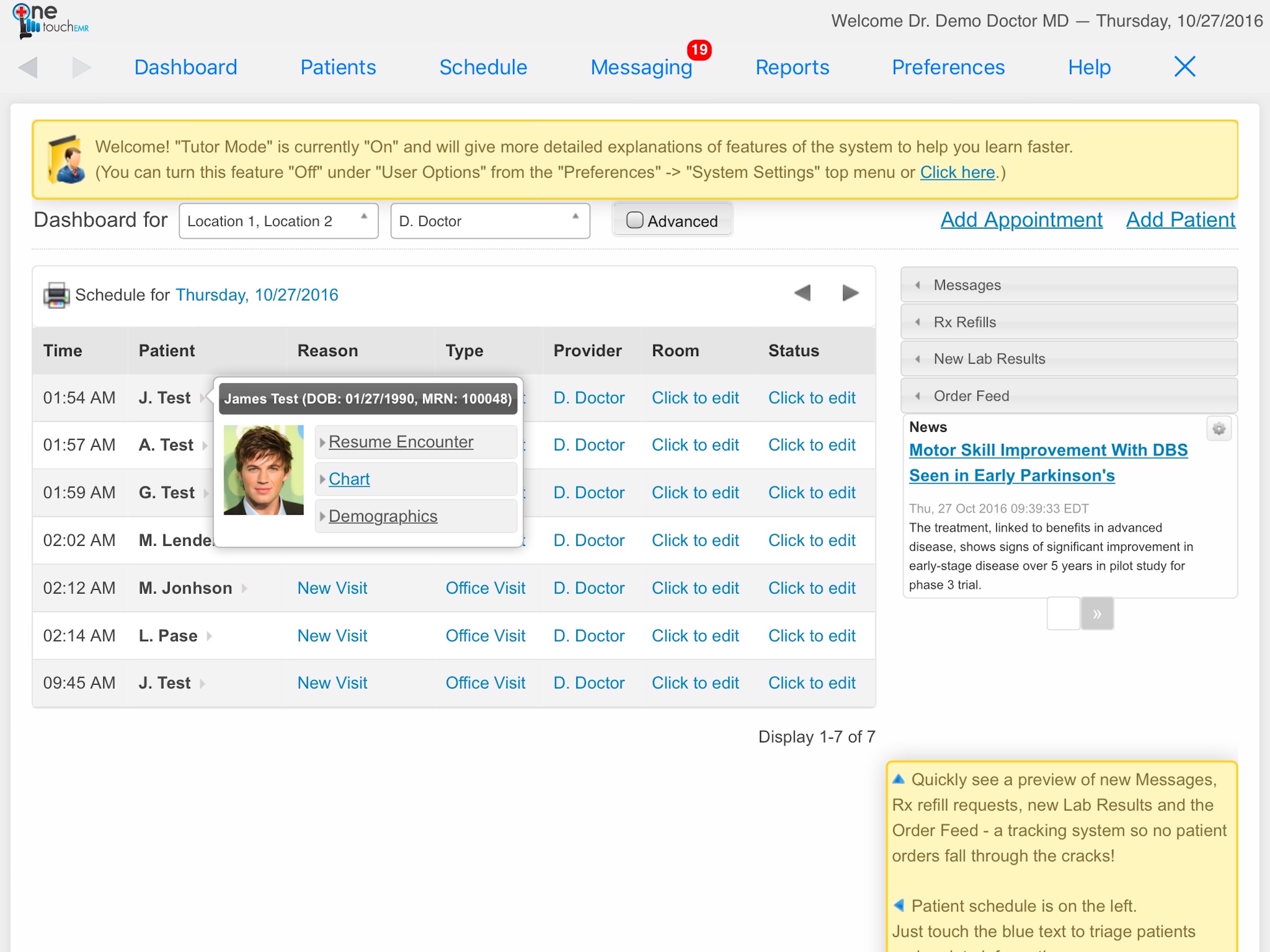
Screenshots sourced from OneTouch EMR's publicly available materials and shown for identification and review purposes. Interface shown may differ from the current release.
Pricing
How much does OneTouch EMR cost?
OneTouch EMR is generally quoted per provider based on the modules included, such as EMR, practice management, telemedicine, billing, patient portal, and voice documentation. Implementation, training, and data migration are typically part of the arrangement.
Get PricingEMR
Clinical documentation, templates, and patient records.
EMR + practice management
Adds scheduling, registration, and front-office workflow.
Full suite
Adds telemedicine, billing, patient portal, voice documentation, and advanced reporting.
Across public reviews, OneTouch EMR is rated well for its affordability, familiar chart-based workflow, and integrated feature set. Some reviewers note that the interface can feel dated and that template configuration takes time.
Plan details are based on publicly available third-party information and industry benchmarks. Actual costs may vary.
Primary specialties served
Primary specialties OneTouch EMR serves
Software Finder compares OneTouch EMR pricing for practices in these specialties.
Use cases
Common ways teams use OneTouch EMR
Documenting outpatient visits
Capture structured notes, history, and assessments tied to the appointment in one record.
Running the practice schedule
Coordinate appointments across providers and locations with registration and eligibility built in.
Engaging patients between visits
Use the patient portal, online forms, reminders, and secure messaging to reduce phone volume and no-shows.
Managing claims and payments
Move from the documented visit into charge capture, claims, and payment posting.
Features
OneTouch EMR features
Capabilities listed on the official site, summarised in our own words. Exact availability varies by plan.
Cloud-based EMR
Clinical documentation with structured notes, templates, and patient history accessible from anywhere.
Practice management
Scheduling, registration, eligibility checks, and front-office workflow tied to the patient record.
Patient portal
Give patients access to records, forms, messaging, appointment self-scheduling, and reminders.
Telemedicine
Conduct virtual visits and share documents with patients through the platform.
Billing and claims
Charge capture, claims submission, payment posting, and denial management tools.
Voice documentation
Built-in voice recognition so providers can dictate notes directly into the chart.
Secure messaging
HIPAA-compliant chat between patients and the care team, tied to the patient record.
Pros & cons
OneTouch EMR pros and cons
Pros
- Integrated EMR, practice management, and patient engagement
- Cloud-based access for providers and staff
- Patient portal and secure messaging included
- Billing and claims workflow built in
- Voice documentation tools
- Affordable for independent practices
Cons
- Interface can feel dated compared to newer platforms
- Learning curve during implementation
- Template configuration takes time to set up well
FAQ
Common questions about OneTouch EMR
Ready to see OneTouch EMR pricing?
See OneTouch EMR in action
Request a walkthrough and we'll connect you with the right team to answer questions specific to your practice.
Software Finder is an independent software marketplace, not OneTouch EMR, and not affiliated with or endorsed by them.
By submitting, you agree to Software Finder's Terms of Service and Privacy Policy and consent to be contacted by Software Finder and one or more matchedsoftware vendors (which may include OneTouch EMR) about your request. You can opt out at any time.