

Logo is the property of MedPointe EHR and is shown for identification only.
Get MedPointe EHR Pricing & Demo
Compare plans, book a live demo, and see how MedPointe EHR fits your practice.
Software Finder is an independent software marketplace, not MedPointe EHR, and not affiliated with or endorsed by them.
See the plan that fits your practice
Share a few details and we'll send MedPointe EHR pricing matched to your practice needs.
Independent guidance
Software Finder is an independent software marketplace, not MedPointe EHR, and not affiliated with or endorsed by them.
By submitting, you agree to Software Finder's Terms of Service and Privacy Policy and consent to be contacted by Software Finder and one or more matchedsoftware vendors (which may include MedPointe EHR) about your request. You can opt out at any time.
MedPointe EHR is a cloud-based electronic health record and practice management platform that combines scheduling, charting, intake forms, and reporting in one system. Tell us about your practice and we'll return current pricing matched to your provider count. Software Finder compares MedPointe EHR pricing for neurology practices and small and mid-sized independent practices.
Key takeaways
MedPointe EHR is a cloud-based EHR and practice management platform designed for medical practices that want scheduling, charting, intake, and reporting in one system. Public information highlights its simple, click-light interface and integrated workflow, while practices should still confirm specialty fit and support terms during a demo. Software Finder compares MedPointe EHR pricing for neurology practices and small and mid-sized independent practices.
Overview
What is MedPointe EHR?
MedPointe EHR is a cloud-based electronic health record and practice management system built to reduce clicks and keep clinical and administrative work in one place. It includes appointment scheduling, structured intake forms, clinical documentation, and reporting, so front-desk and clinical teams share the same patient record.
Good fit for
MedPointe EHR suits small to mid-sized outpatient practices that want an integrated EHR and practice management system with a modern, easy-to-navigate interface.
Scheduling
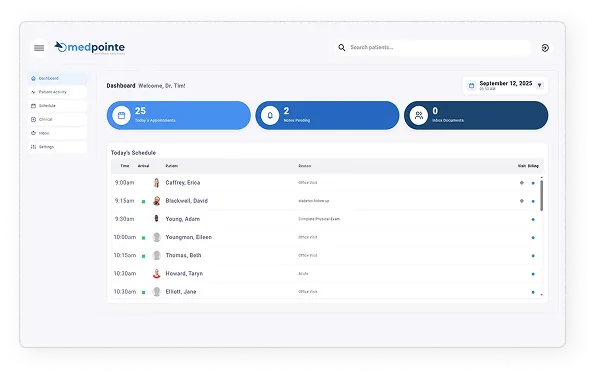
Manage the day from one schedule view
The MedPointe EHR dashboard puts the daily schedule, appointment counts, and pending notes in one place. Staff can see arrival status, visit type, and room number without switching screens, so the front desk and clinical team stay in sync.
- Daily schedule with arrival and visit type flags
- Appointment, notes pending, and inbox counters
- Quick navigation between dashboard and schedule
Screenshots sourced from MedPointe EHR's publicly available materials and shown for identification and review purposes. Interface shown may differ from the current release.
Patient intake
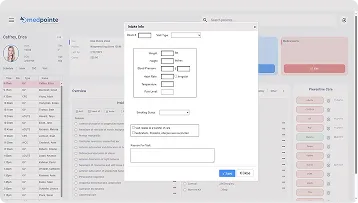
Collect information before the visit
MedPointe EHR lets practices send intake forms ahead of time or complete them during check-in. Height, weight, blood pressure, and reason for visit are captured in a structured popup that flows into the patient record.
- Structured intake popup tied to the patient record
- Vitals and visit reason captured at check-in
- Reduces manual entry for front-desk staff
Screenshots sourced from MedPointe EHR's publicly available materials and shown for identification and review purposes. Interface shown may differ from the current release.
Practice overview
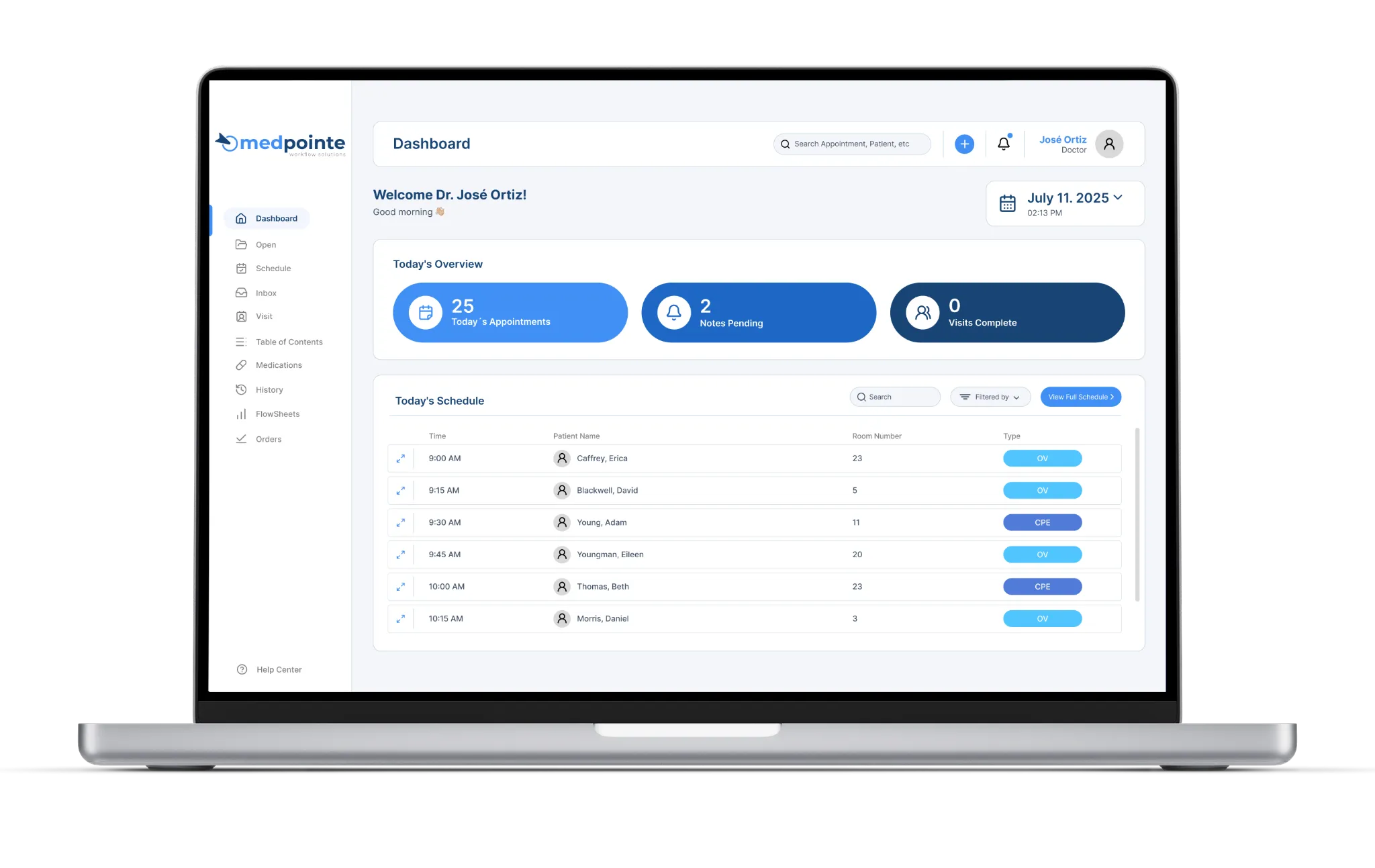
Track appointments, notes, and tasks from one dashboard
The main dashboard gives providers and staff a single view of today's appointments, pending notes, and completed visits. Sidebar navigation keeps schedules, inbox, visits, and settings within one or two clicks.
- Single dashboard for appointments, notes, and visits
- Sidebar navigation for schedule, inbox, and settings
- Provider greeting and date selector built in
Screenshots sourced from MedPointe EHR's publicly available materials and shown for identification and review purposes. Interface shown may differ from the current release.
Pricing
How much does MedPointe EHR cost?
MedPointe EHR is generally quoted per provider and depends on the modules you include, such as scheduling, charting, intake, and reporting. Implementation, training, and data migration are typically part of the arrangement.
Get PricingEHR
Charting, templates, and visit documentation.
EHR + practice management
Adds scheduling, intake, and task workflows.
Full suite
Adds reporting, patient engagement, and telemedicine tools.
Across public listings, MedPointe EHR is noted for a clean interface and an all-in-one workflow for outpatient practices. As with any platform, reviewers advise confirming specialty fit and integration needs during a demo.
Plan details are based on publicly available third-party information and industry benchmarks. Actual costs may vary.
Primary specialties served
Primary specialties MedPointe EHR serves
Software Finder compares MedPointe EHR pricing for practices in these specialties.
Use cases
Common ways teams use MedPointe EHR
Running a smooth front desk
Check patients in, view arrival status, and manage the daily schedule from one dashboard.
Collecting intake information faster
Send forms ahead of the visit or complete them at check-in so the chart is ready before the provider sees the patient.
Keeping providers on schedule
See appointment counts, pending notes, and completed visits in one place so providers know what is next.
Reducing documentation clicks
Document visits with structured templates and voice-friendly workflows tied to the patient record.
Features
MedPointe EHR features
Capabilities listed on the official site, summarised in our own words. Exact availability varies by plan.
Cloud-based EHR
Charting and visit documentation accessible from any device with structured templates.
Appointment scheduling
Daily and weekly calendar views with arrival status, visit type, and room number.
Patient intake forms
Structured forms for vitals, visit reason, and demographics that flow into the patient record.
Clinical documentation
Note sections, templates, and voice-friendly workflows tied to the chart.
Task and inbox management
Centralized inbox for documents, messages, and follow-up tasks.
Reporting
Practice-level dashboards that track visits, productivity, and quality metrics.
Patient engagement
Appointment reminders, secure messaging, and telemedicine visit support.
Practice management
Front-desk workflows for check-in, eligibility, and daily operations.
Pros & cons
MedPointe EHR pros and cons
Pros
- Scheduling, intake, and documentation in one system
- Clean, click-light interface
- Cloud-based access from any device
- Structured intake forms tied to the patient record
- Built-in patient engagement and telemedicine tools
- Sidebar navigation keeps workflows within a few clicks
Cons
- Smaller user base than legacy EHR platforms
- Specialty fit should be confirmed in a demo
- Integration options may be narrower than larger systems
FAQ
Common questions about MedPointe EHR
Ready to see MedPointe EHR pricing?
See MedPointe EHR in action
Request a walkthrough and we'll connect you with the right team to answer questions specific to your practice.
Software Finder is an independent software marketplace, not MedPointe EHR, and not affiliated with or endorsed by them.
By submitting, you agree to Software Finder's Terms of Service and Privacy Policy and consent to be contacted by Software Finder and one or more matchedsoftware vendors (which may include MedPointe EHR) about your request. You can opt out at any time.