

Logo shown is the property of iSpring Learn, used for identification purposes only.
Get iSpring Learn Pricing & Demo
Compare plans, book a live demo, and see how iSpring Learn fits your team.
iSpring Learn is a cloud LMS with a built-in authoring toolkit that lets teams convert existing slides and documents into trackable courses. Its focus on fast setup and PowerPoint integration suits teams that want training live quickly; organisations that need advanced customisation or a large pre-built content library may want to compare alternatives. Tell us your requirements and we'll return current plan details.
See the plan that fits your team
Share a few details and we'll send iSpring Learn pricing matched to your learning needs.
Independent guidance
Software Finder is an independent software marketplace, not iSpring Learn, and not affiliated with or endorsed by them.
By submitting, you agree to Software Finder's Terms of Service and Privacy Policy and consent to be contacted by Software Finder and one or more matchedsoftware vendors (which may include iSpring Learn) about your request. You can opt out at any time.
- Pricing matched to your team size
- Independent guidance
- Compare with similar platforms
Key takeaways
iSpring Learn is a cloud LMS paired with an authoring suite, used mainly by corporate training teams that want to launch onboarding, compliance and skills training without a lengthy implementation. Across public reviews the majority of feedback is positive, with users highlighting ease of use, quick setup and the ability to convert PowerPoint decks into courses. Recurring criticisms focus on limited advanced customisation and the cost of the full suite.
Overview
What is iSpring Learn?
iSpring Learn is a cloud-based learning management system that combines course delivery with an integrated authoring toolkit. Organisations can build courses from slides, videos and documents, then assign them to learners grouped by role or department, and track completions and quiz scores through built-in reports. It is designed to get training live quickly without requiring a dedicated IT project. The authoring suite, iSpring Suite, can be purchased alongside the LMS or as a separate product.
Best for
iSpring Learn is best for corporate training teams that want to convert existing content, especially PowerPoint decks, into online courses without a design team. Its standout element, frequently highlighted by reviewers, is the speed of setup: organisations that already have training materials in slide or document form can publish courses and assign them to learners in a short timeframe.
Course authoring
Build courses from existing content
iSpring Learn includes an authoring toolkit that converts PowerPoint slides, documents and recorded video into interactive courses, quizzes and simulations. The aim is to let teams turn material they already have into trackable training without requiring specialist design skills.
- PowerPoint-to-course conversion
- Interactive quizzes and simulations
- Video and screencast lessons
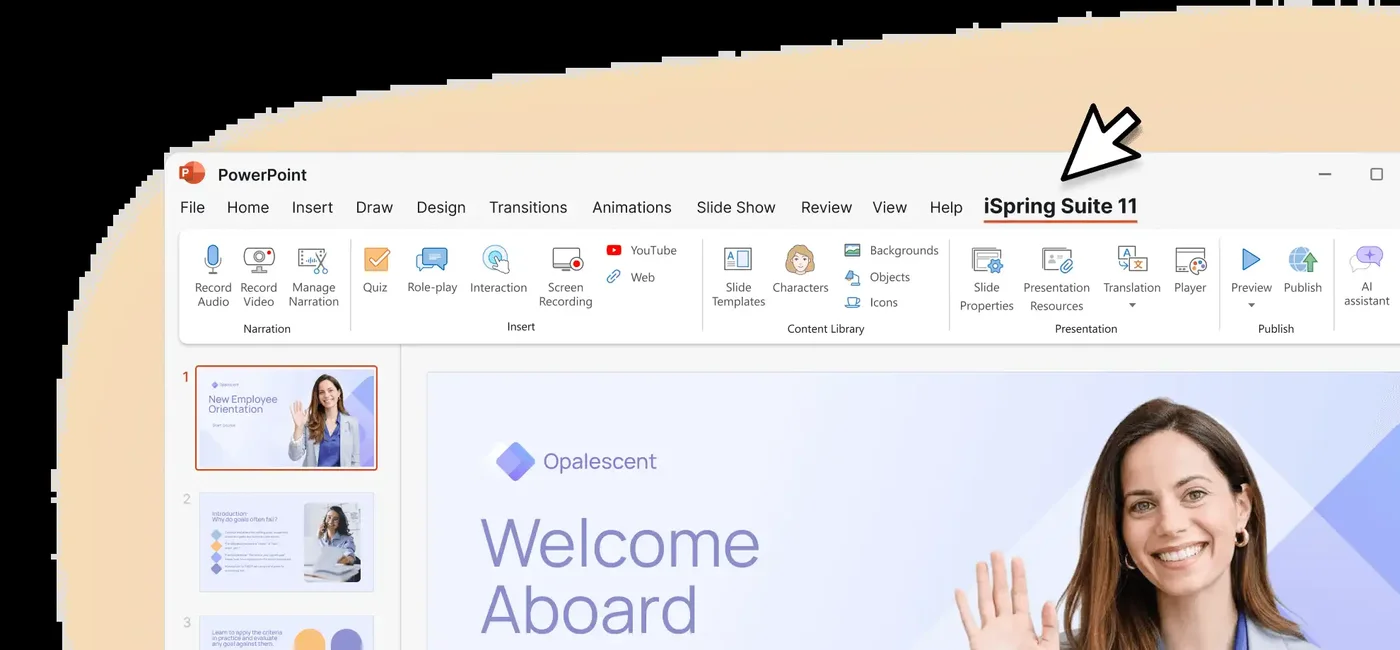
Screenshots sourced from iSpring Learn's publicly available materials and shown for identification and review purposes. Interface shown may differ from the current release.
Learning management
Assign, track and certify learners
Administrators can organise learners into groups, assign learning paths and track completions and test scores. Automated certificates can be issued on course completion to support compliance and credentialing requirements.
- Learning paths and group management
- Completion and score tracking
- Automated certificates
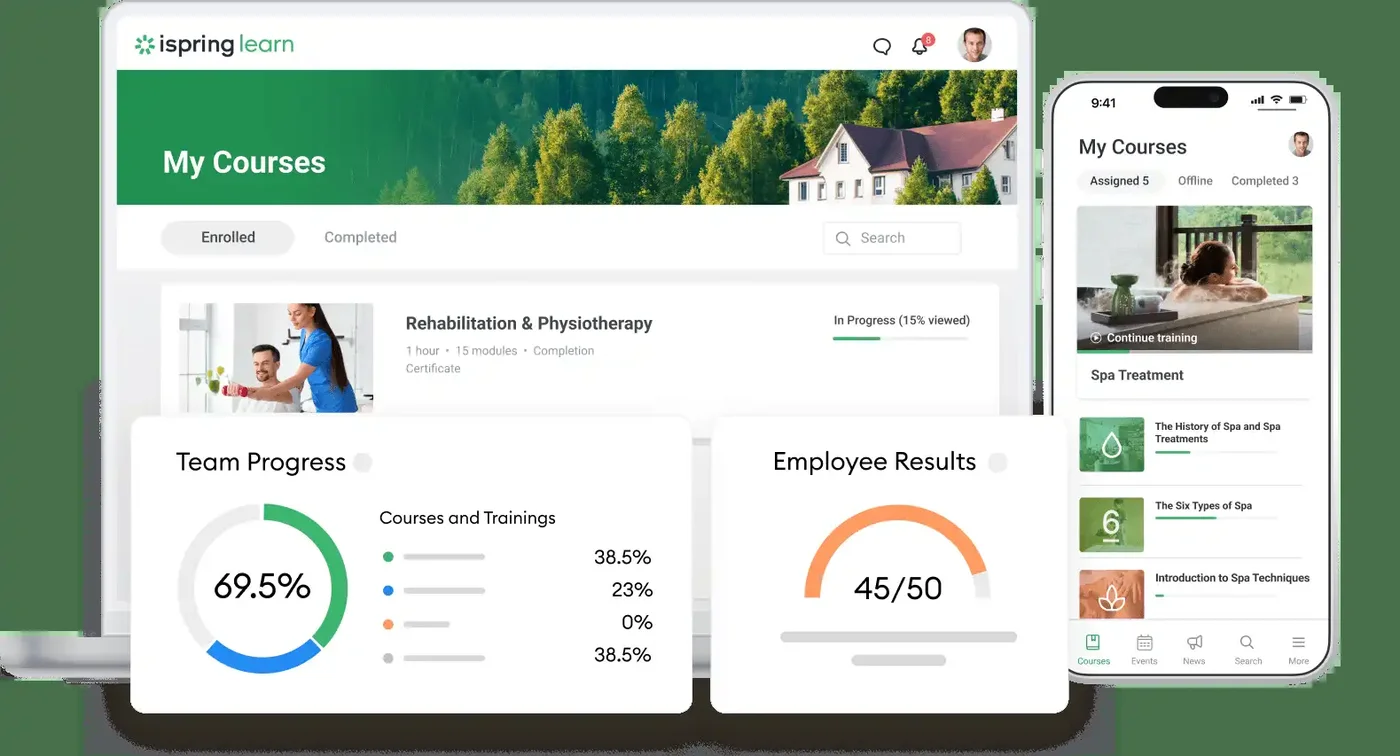
Screenshots sourced from iSpring Learn's publicly available materials and shown for identification and review purposes. Interface shown may differ from the current release.
Reporting
Monitor training progress across the organisation
Built-in reports show course progress, quiz scores and completion rates at learner, group and organisation level. Reports can be scheduled and exported so training outcomes are available to management without manual data gathering.
- Progress and completion reports
- Scheduled and exportable reports
- Group and organisation-level views
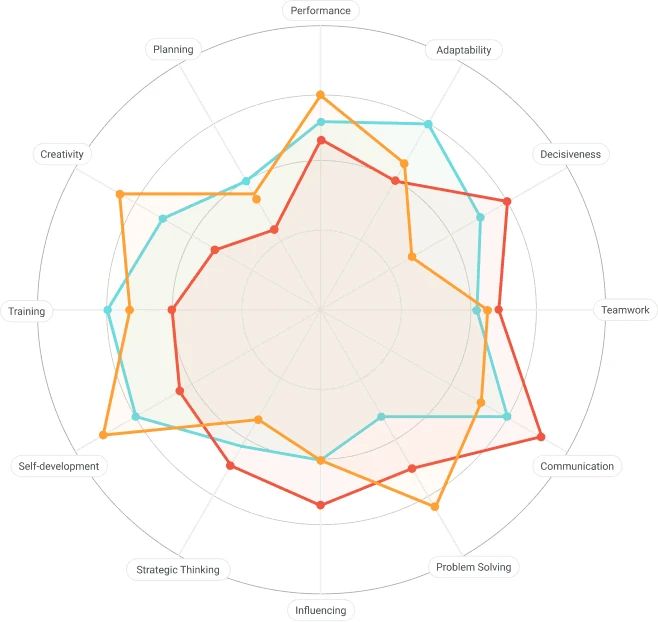
Screenshots sourced from iSpring Learn's publicly available materials and shown for identification and review purposes. Interface shown may differ from the current release.
Pricing
How much does iSpring Learn cost?
iSpring Learn is priced on a per-user basis, with plans that vary by user count and the features included. Plan details is typically provided on request or through the iSpring website.
Get PricingiSpring Learn
LMS platform with course delivery, tracking and reporting.
iSpring Learn + Suite
LMS combined with the full authoring toolkit for building interactive courses.
Business
Larger-team plans with additional management and configuration options.
Across public reviews, buyers at smaller organisations generally describe iSpring as good value for teams that use the authoring toolkit heavily; some note that costs can grow as user counts increase.
Plan details is subject to change.
Who it's for
Who is iSpring Learn for?
Use cases
Common ways teams use iSpring Learn
Converting existing content to online courses
Transform PowerPoint presentations and documents into interactive online courses without requiring specialist authoring skills.
Employee onboarding
Deliver structured onboarding programmes to new hires and track their progress and completion from one dashboard.
Compliance and certification
Assign mandatory training, record completions and issue certificates automatically to support compliance requirements.
Skills and product training
Build and distribute role-specific training so teams stay current on processes, products and procedures.
What users say
Aggregated from public reviews, sentiment toward iSpring Learn is largely favourable: users value ease of setup, the ability to publish PowerPoint-based courses quickly, and responsive customer support. The most common criticisms are that some customisation options are limited compared to larger platforms, that the full feature set requires purchasing both the LMS and the authoring suite, and that per-user plan details can rise for larger teams. Reviewers are most often L&D professionals and training managers at small and mid-sized organisations.
Features
iSpring Learn features
Capabilities listed on the official site, summarised in our own words. Exact availability varies by plan.
Integrated course authoring
Convert slides, documents and video into interactive courses using the built-in authoring toolkit.
Learning paths
Group courses into structured learning journeys and assign them to learners by role or department.
Quiz and assessment builder
Create graded quizzes, surveys and role-play simulations to test learner knowledge.
Automated certificates
Issue completion certificates automatically when learners finish a course or pass an assessment.
Reporting and analytics
Track completions, quiz scores and progress at learner, group and organisation level.
Mobile learning
Learners can access courses on mobile devices so training continues away from the desk.
Pros & cons
iSpring Learn pros and cons
Pros
- Quick to set up and launch
- Converts PowerPoint content to courses easily
- Built-in authoring and LMS in one
- Automated certification support
- Responsive customer support noted by reviewers
Cons
- Advanced customisation is limited
- Full feature set requires both LMS and Suite
- Per-user plan details rises for larger teams
- Fewer native integrations than some competitors
FAQ
Common questions about iSpring Learn
Request a demo
Share a few details and we'll help arrange a iSpring Learn walkthrough for your workflow.
Software Finder is an independent software marketplace, not iSpring Learn, and not affiliated with or endorsed by them.
By submitting, you agree to Software Finder's Terms of Service and Privacy Policy and consent to be contacted by Software Finder and one or more matchedsoftware vendors (which may include iSpring Learn) about your request. You can opt out at any time.
Next step
Still comparing options? See iSpring Learn in action.
Software Finder helps you gather the information that actually drives a software decision, a real walkthrough of iSpring Learn and a clear view of how it compares to similar platforms.
- See iSpring Learn in a live walkthrough
- Connect with the right team
- Compare against similar platforms
- Independent guidance