

Logo shown is the property of Paymo, used for identification purposes only.
Get Paymo Pricing & Demo
Compare plans, book a live demo, and see how Paymo fits your team.
Paymo brings project management, time tracking and invoicing together for teams and freelancers that manage client work. Its focus on project-based work means teams needing full HR or payroll may combine it with other tools. Tell us your needs and we'll return current pricing.
Key takeaways
Paymo is a work-management platform combining project management, time tracking and invoicing for teams and freelancers. Across public reviews the majority of feedback is positive, with users highlighting the combination of project, time and billing tools in one place. Recurring criticisms centre on the learning curve for some features and mobile-app limitations.
See the plan that fits your team
Share a few details and we'll send Paymo pricing matched to your HR needs.
Independent guidance
Software Finder is an independent software marketplace, not Paymo, and not affiliated with or endorsed by them.
By submitting, you agree to Software Finder's Terms of Service and Privacy Policy and consent to be contacted by Software Finder and one or more matchedsoftware vendors (which may include Paymo) about your request. You can opt out at any time.
Overview
What is Paymo?
Paymo is a cloud-based work-management platform for project-based teams and freelancers. It combines project and task management, time tracking, resource scheduling, invoicing and expense tracking in one system, with web, desktop and mobile apps. The aim is to give teams one place to plan work, track the time spent on it and bill clients without stitching separate tools together.
Best for
Paymo is best for agencies, studios and freelancers that want project management, time tracking and invoicing in one tool. Its standout element, frequently highlighted by reviewers, is the tight link between tasks, tracked time and invoices, work planned in Paymo flows straight into accurate billing.
Project management
Plan tasks, boards and project timelines
Paymo organises work with tasks, lists, boards and Gantt-style planning, so teams can assign work, set priorities and track progress across projects from one place.
- Tasks, lists and boards
- Gantt and scheduling views
- Assignments and priorities
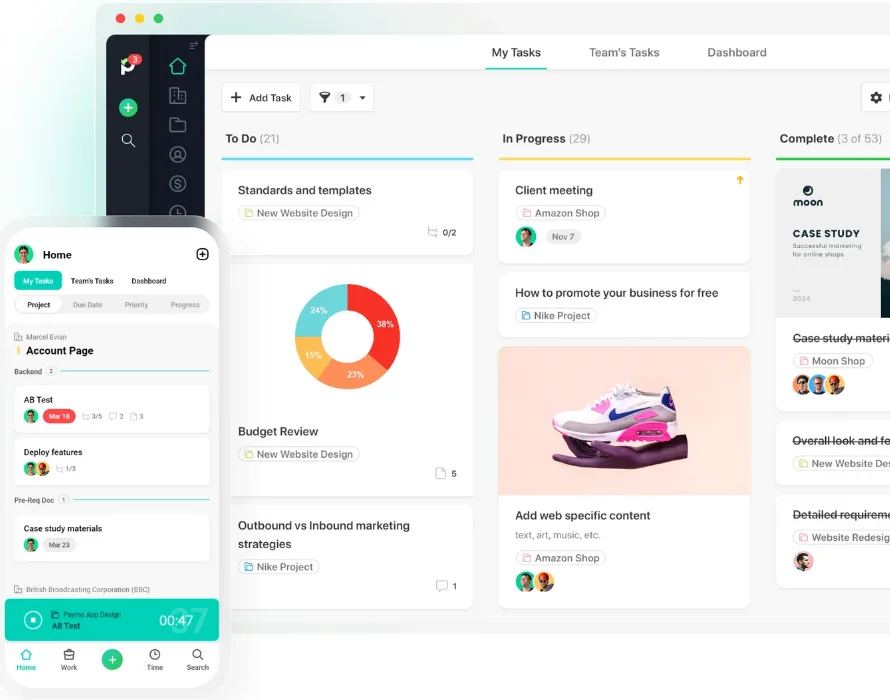
Screenshots sourced from Paymo's publicly available materials and shown for identification and review purposes. Interface shown may differ from the current release.
Time tracking
Track time against tasks and projects
Team members log time with a timer, desktop app or manual entry against tasks, so billable and non-billable hours are captured accurately and tied to the work they belong to.
- Timer and desktop tracking
- Time by task and project
- Timesheets and reports
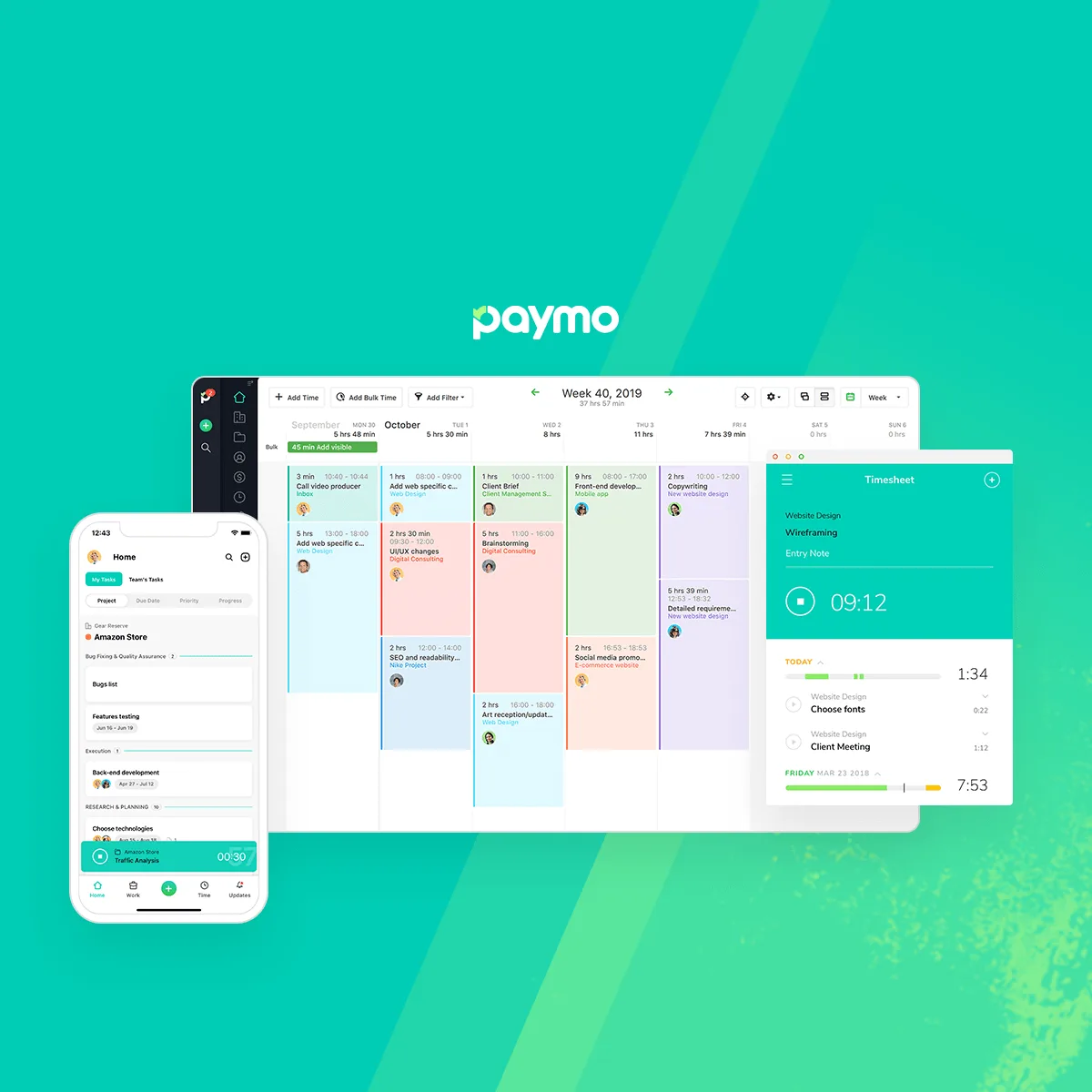
Screenshots sourced from Paymo's publicly available materials and shown for identification and review purposes. Interface shown may differ from the current release.
Invoicing & payments
Bill clients from tracked work
Billable time and expenses can be turned into invoices and estimates, with online payment options, so tracked work flows into billing without re-entering data.
- Invoices and estimates
- Expense tracking
- Online payments
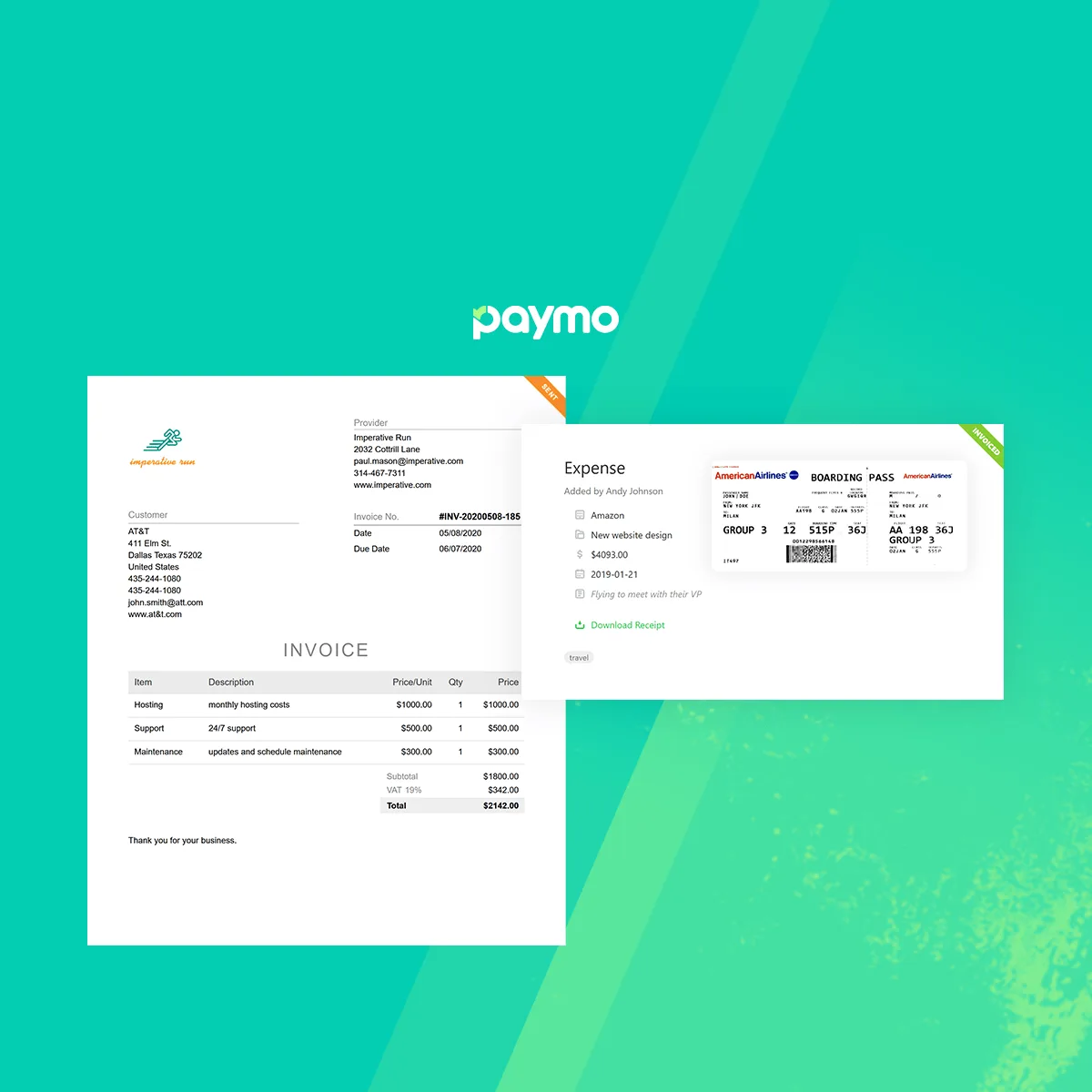
Screenshots sourced from Paymo's publicly available materials and shown for identification and review purposes. Interface shown may differ from the current release.
Pricing
How much does Paymo cost?
Paymo is offered in a free tier for individuals and small teams plus paid per-user tiers that add project, time and invoicing features. A trial is typically available.
Get PricingFree tier
Core features for individuals and small teams.
Paid tiers
Per-user plan details that adds project and billing tools.
Higher tiers
Add advanced planning and reporting.
Across public reviews, Paymo is generally described as good value for project-based teams, with several noting the all-in-one nature, though some mention that costs and complexity grow with advanced features.
Plan details references are based on publicly available third-party information and industry benchmarks. Actual costs may vary.
Who it's for
Who is Paymo for?
Use cases
Common ways teams use Paymo
Managing client projects
Plan tasks and track progress across projects.
Tracking billable time
Log hours against tasks for accurate billing.
Invoicing clients
Turn tracked time and expenses into invoices.
Planning resources
Schedule team capacity across work.
What users say
Aggregated from public reviews, sentiment toward Paymo is largely favourable: users value the combination of project, time and billing tools, and the free tier. The most common criticisms are a learning curve for some features and mobile-app limitations. Reviewers are most often agency owners, freelancers and project managers.
Features
Paymo features
Capabilities listed on the official site, summarised in our own words. Exact availability varies by plan.
Project management
Tasks, boards and Gantt planning.
Time tracking
Timer, desktop app and timesheets.
Resource scheduling
Plan team capacity and workloads.
Invoicing
Invoices and estimates from tracked work.
Expense tracking
Log and bill project expenses.
Pros & cons
Paymo pros and cons
Pros
- Project, time and billing in one
- Free tier available
- Good for client work
- Desktop and web apps
- Tracked time flows to invoices
Cons
- Learning curve for some features
- Mobile app has limitations
- Not a full HR/payroll suite
FAQ
Common questions about Paymo
Request a demo
Share a few details and we'll help arrange a Paymo walkthrough for your workflow.
Software Finder is an independent software marketplace, not Paymo, and not affiliated with or endorsed by them.
By submitting, you agree to Software Finder's Terms of Service and Privacy Policy and consent to be contacted by Software Finder and one or more matchedsoftware vendors (which may include Paymo) about your request. You can opt out at any time.
Next step
Still comparing options? See Paymo in action.
Software Finder helps you gather the information that actually drives a software decision, a real walkthrough of Paymo and a clear view of how it compares to similar platforms.
- See Paymo in a live walkthrough
- Connect with the right team
- Compare against similar platforms
- Independent guidance