

Logo shown is the property of Gusto, used for identification purposes only.
Get Gusto Pricing & Demo
Compare plans, book a live demo, and see how Gusto fits your team.
Gusto brings payroll, benefits, hiring and time tools together in one platform built for small and mid-sized businesses. Its focus on smaller employers means very large or highly complex organisations may need more specialised systems. Tell us your needs and we'll return current pricing.
Key takeaways
Gusto is a cloud payroll and HR platform combining payroll, benefits administration, hiring, onboarding and time tracking, used mainly by small and mid-sized businesses. Across public reviews the majority of feedback is positive, with users highlighting the ease of running payroll and the clarity of the interface. Recurring criticisms centre on support responsiveness during busy periods and on features aimed at larger, more complex organisations.
See the plan that fits your team
Share a few details and we'll send Gusto pricing matched to your payroll and HR needs.
Independent guidance
Software Finder is an independent software marketplace, not Gusto, and not affiliated with or endorsed by them.
By submitting, you agree to Software Finder's Terms of Service and Privacy Policy and consent to be contacted by Software Finder and one or more matchedsoftware vendors (which may include Gusto) about your request. You can opt out at any time.
Overview
What is Gusto?
Gusto is a cloud-based payroll and HR platform for small and mid-sized businesses. It combines payroll processing, automatic payroll tax filing, benefits administration, hiring and onboarding, and time and attendance tracking in a single system. The aim is to give owners and HR teams one place to pay people and manage the surrounding admin. Employee records, pay data and benefits live together, and Gusto connects with common accounting, time-tracking and expense tools.
Best for
Gusto is best for small and growing businesses that want payroll, benefits and basic HR handled in one connected system rather than separate tools. Its standout element, frequently highlighted by reviewers, is automated payroll with built-in tax filing, payroll runs calculate, file and pay federal, state and local taxes, which reduces the manual work owners would otherwise take on each cycle.
Payroll
Run payroll and file taxes automatically
Gusto runs payroll for employees and contractors, then calculates, files and pays federal, state and local payroll taxes. Teams can review a run, choose a payment speed and submit without handling tax forms manually.
- Unlimited payroll runs across pay schedules
- Automatic payroll tax filing and payments
- Employee and contractor payments in one place
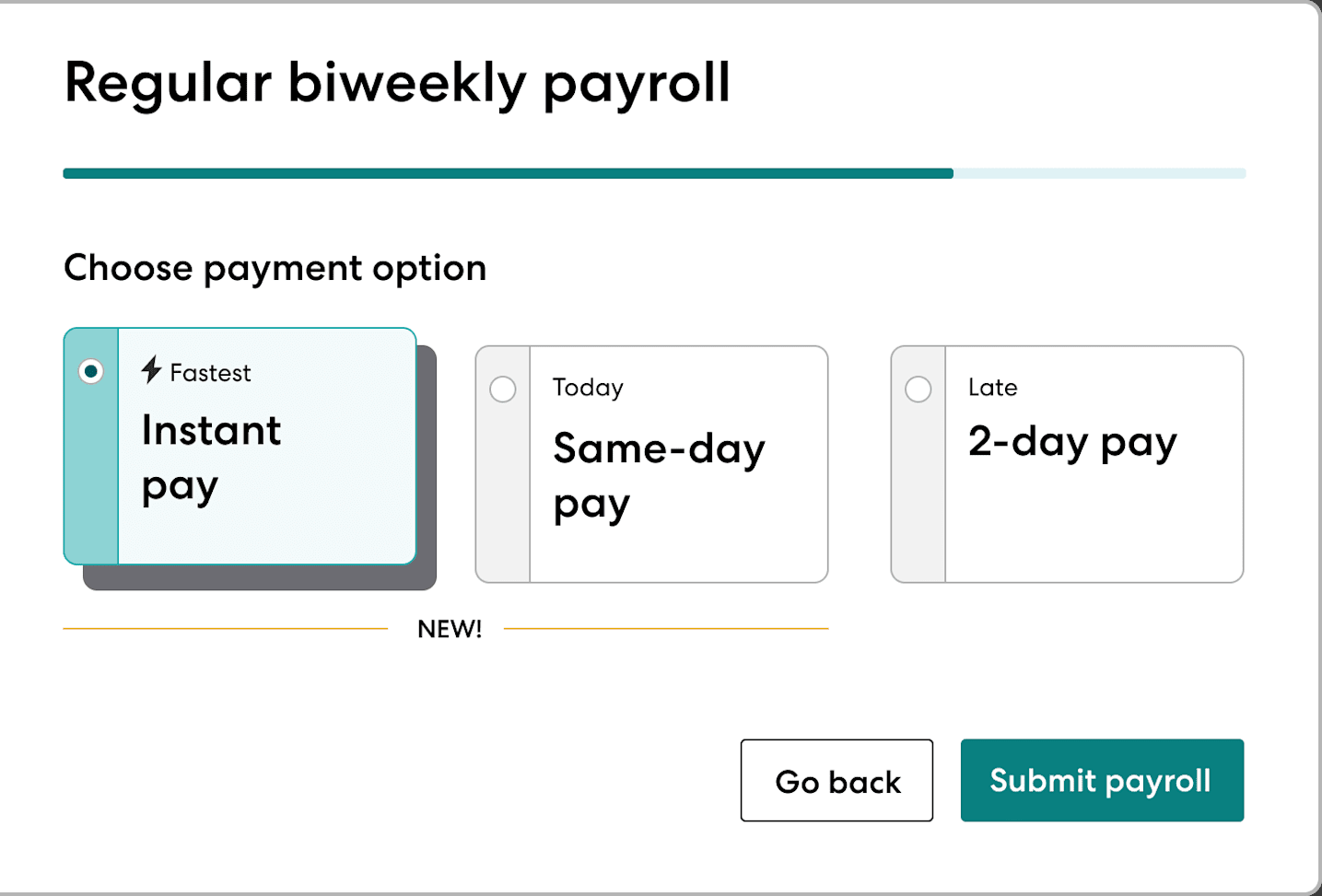
Screenshots sourced from Gusto's publicly available materials and shown for identification and review purposes. Interface shown may differ from the current release.
Benefits
Administer benefits alongside payroll
Health insurance, retirement and other benefits are managed in the same system as payroll, so deductions stay in sync. Employees can compare and enroll in plans through their own self-service account.
- Health, dental and vision plan administration
- 401(k), HSA/FSA and other benefit options
- Employee self-service enrollment
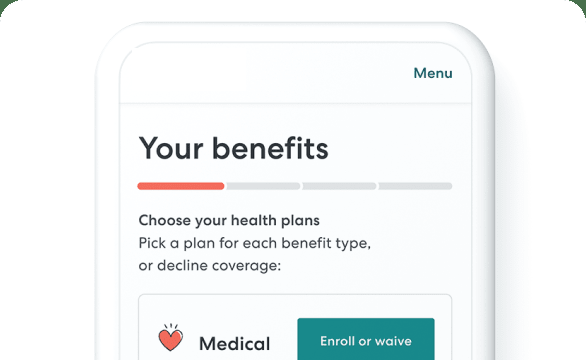
Screenshots sourced from Gusto's publicly available materials and shown for identification and review purposes. Interface shown may differ from the current release.
Hiring & onboarding
Hire and onboard new team members
Gusto supports job posts, applicant tracking and digital onboarding, including offer letters and self-onboarding for new hires. New employee details flow into payroll and records without re-entry.
- Applicant tracking and hiring pipeline
- Digital offer letters and e-signatures
- Employee self-onboarding checklists
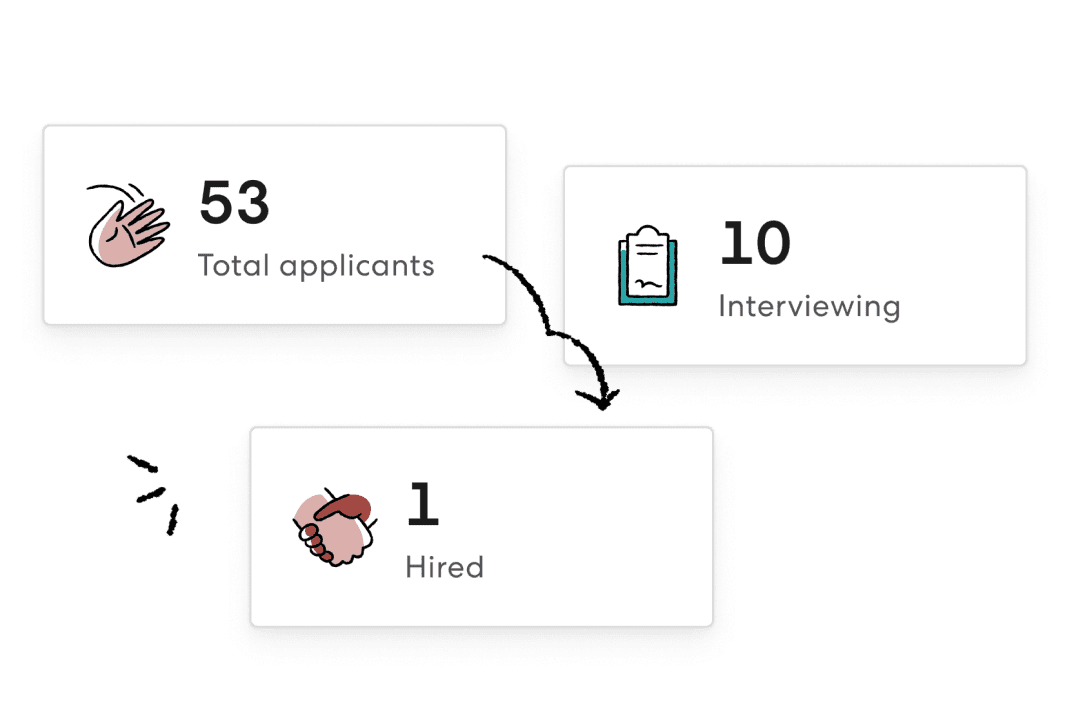
Screenshots sourced from Gusto's publicly available materials and shown for identification and review purposes. Interface shown may differ from the current release.
Pricing
How much does Gusto cost?
Gusto publishes tiered plans that combine a flat monthly base fee with a per-person charge, plus a lower-cost option for businesses that only pay contractors. A free trial is typically available.
Get PricingContractor-only
For businesses that pay contractors, with a reduced per-person fee and no base employee plan.
Simple
Core full-service payroll, employee self-service and basic benefits administration.
Plus
Adds hiring and onboarding tools, time tracking, and multi-state payroll.
Premium
Adds more HR support and advanced options for larger or growing teams.
Across public reviews, Gusto is frequently described as reasonably priced for small teams and transparent about its base-plus-per-person structure, though some buyers note that costs grow as headcount rises and that certain features sit only in higher tiers.
Pricing is subject to change.
Who it's for
Who is Gusto for?
Use cases
Common ways teams use Gusto
Running payroll and filing taxes
Pay employees and contractors on a schedule while Gusto calculates, files and pays payroll taxes.
Administering employee benefits
Offer and manage health, retirement and other benefits with deductions kept in sync with payroll.
Hiring and onboarding staff
Track applicants, send offer letters and let new hires complete onboarding online.
Tracking time and attendance
Capture hours, time off and PTO so they flow into payroll without re-entry.
What users say
Aggregated from public reviews, sentiment toward Gusto is largely favourable: users value how straightforward payroll is to run, the clean interface and having payroll, benefits and HR in one place. The most common criticisms are that support can be slow to respond during peak periods and that some advanced HR needs are limited. Reviewers are most often small-business owners, office managers and HR administrators.
Features
Gusto features
Capabilities listed on the official site, summarised in our own words. Exact availability varies by plan.
Full-service payroll
Run payroll for employees and contractors with multiple pay schedules and payment speeds.
Automatic payroll tax filing
Calculate, file and pay federal, state and local payroll taxes.
Benefits administration
Manage health insurance, retirement and other benefits alongside payroll.
Hiring and onboarding
Post jobs, track applicants and onboard new hires with digital paperwork.
Time and attendance
Track hours, PTO and time off that feed directly into payroll.
Pros & cons
Gusto pros and cons
Pros
- Payroll is simple to run
- Clean, approachable interface
- Payroll, benefits and HR together
- Automatic payroll tax filing
- Useful self-service for employees
Cons
- Support can be slow at peak times
- Advanced HR features are limited
- Fewer options for very large teams
FAQ
Common questions about Gusto
Request a demo
Share a few details and we'll help arrange a Gusto walkthrough for your workflow.
Software Finder is an independent software marketplace, not Gusto, and not affiliated with or endorsed by them.
By submitting, you agree to Software Finder's Terms of Service and Privacy Policy and consent to be contacted by Software Finder and one or more matchedsoftware vendors (which may include Gusto) about your request. You can opt out at any time.
Next step
Still comparing options? See Gusto in action.
Software Finder helps you gather the information that actually drives a software decision, a real walkthrough of Gusto and a clear view of how it compares to similar platforms.
- See Gusto in a live walkthrough
- Connect with the right team
- Compare against similar platforms
- Independent guidance