

Logo shown is the property of ClockShark, used for identification purposes only.
Get ClockShark Pricing & Demo
Compare plans, book a live demo, and see how ClockShark fits your team.
ClockShark is a time tracking and scheduling app built for construction and field service teams. Crews clock in from their phone with GPS, and hours flow into scheduling, job costing and payroll exports. Advanced reporting depth is more limited than in general-purpose HR suites. Tell us your team size and we'll return current pricing.
Key takeaways
ClockShark is a time tracking and scheduling platform used mainly by small and mid-sized construction, field service and skilled-trade employers. Across public reviews, sentiment is broadly positive, with users citing simple mobile clock-ins, GPS accuracy on field jobs and responsive support. Recurring criticisms centre on reporting depth and occasional syncing hiccups on older devices. ClockShark continues to add job-costing, scheduling and QuickBooks-integration improvements aimed at field crews.
See the plan that fits your team
Share a few details and we'll send ClockShark pricing matched to your HR needs.
Independent guidance
Software Finder is an independent software marketplace, not ClockShark, and not affiliated with or endorsed by them.
By submitting, you agree to Software Finder's Terms of Service and Privacy Policy and consent to be contacted by Software Finder and one or more matchedsoftware vendors (which may include ClockShark) about your request. You can opt out at any time.
Overview
What is ClockShark?
ClockShark is a workforce management app focused on time tracking, GPS clock-ins, crew scheduling and job costing for teams that work outside an office. Employees clock in from a mobile app tied to a specific job and task, and their hours flow into scheduling, payroll exports and labor-cost reports. Managers get a real-time view of who is on site, on which job, and for how long. The product is used mainly by construction, roofing, landscaping, HVAC and other field service employers.
Best for
ClockShark is best suited to small and mid-sized construction and field service employers that need to replace paper timesheets and text-message scheduling with a mobile-first time tracking system. Its standout element, consistently noted in reviews, is Crew Clock, the ability for a foreman to clock in an entire crew from a single phone, which fits the way roofing, framing and landscaping crews actually work on site.
Time tracking
Clock in from the field with GPS on every punch
ClockShark lets field workers clock in and out from their phone with GPS location captured on every punch. Foremen can clock in an entire crew at once, and managers see who is on site, on which job, and for how long, without chasing paper timesheets at the end of the week.
- Mobile clock-in with GPS location on each punch
- Crew Clock for one-tap crew-wide punches
- Live who's working view for supervisors
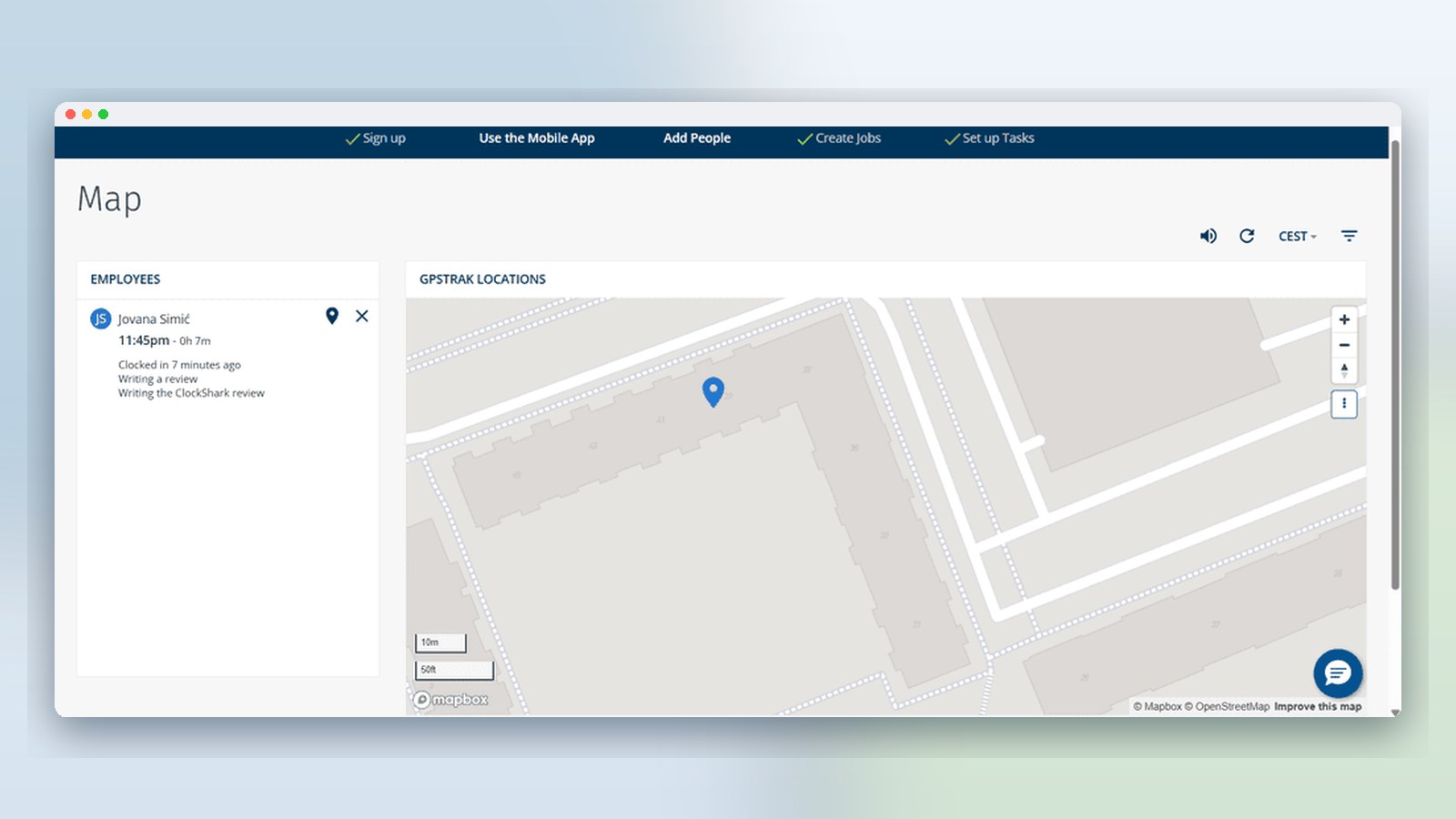
Screenshots sourced from ClockShark's publicly available materials and shown for identification and review purposes. Interface shown may differ from the current release.
Scheduling
Build and share crew schedules across jobs
The scheduler assigns employees and crews to jobs, tasks and shifts and pushes updates to their phone in real time. Drag-and-drop changes, recurring shifts and conflict warnings help office staff plan the week without spreadsheets or last-minute phone trees.
- Drag-and-drop crew and job scheduling
- Push notifications for shift changes
- Recurring shifts and conflict alerts
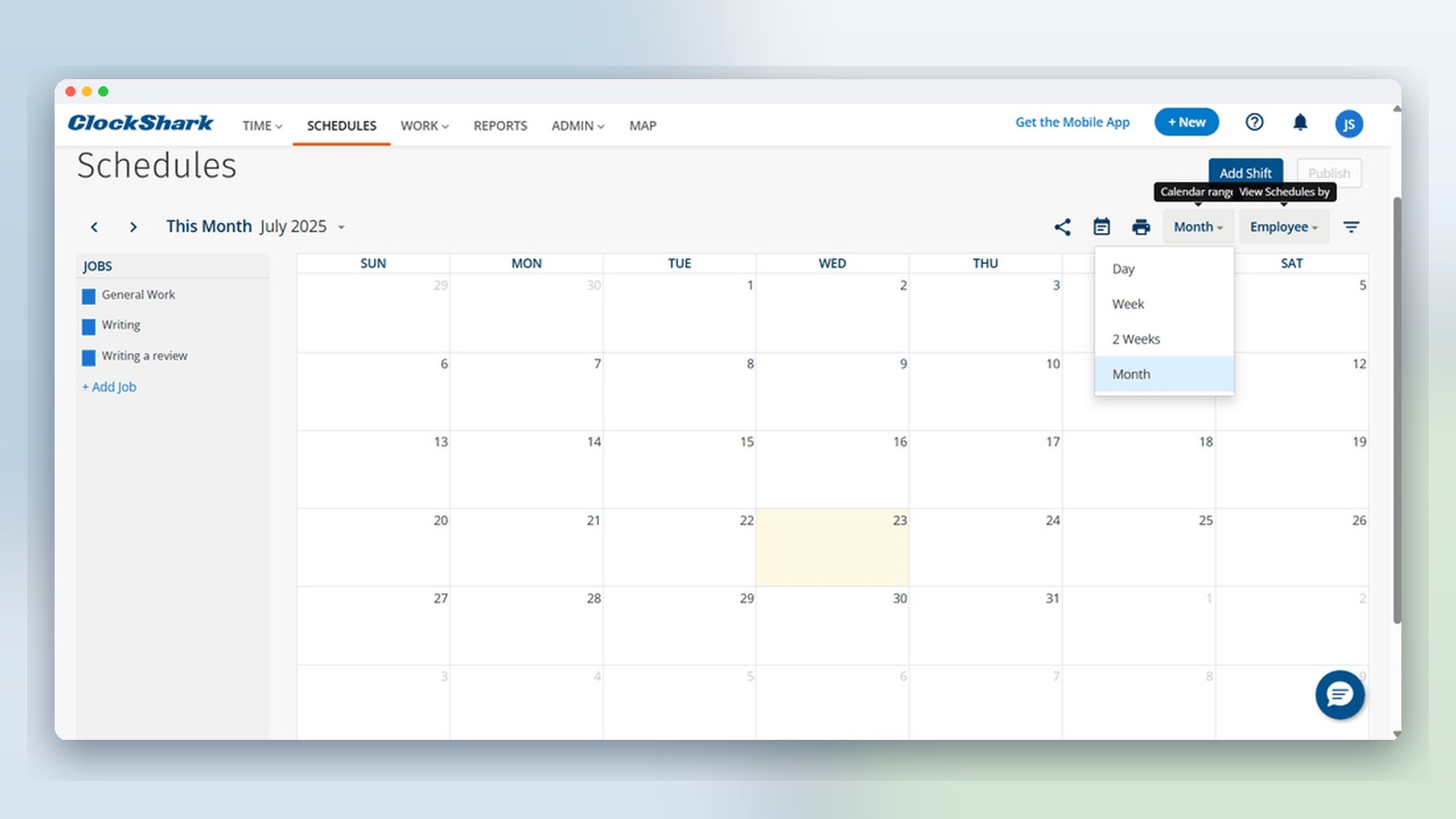
Screenshots sourced from ClockShark's publicly available materials and shown for identification and review purposes. Interface shown may differ from the current release.
Jobs & costing
Tie hours to jobs and tasks for cleaner job costing
Every clock-in is tagged to a job and task, so payroll and job costing come out of the same data. Managers can review labor cost by job, export hours to payroll or accounting, and see where estimated vs. actual hours diverged on the last project.
- Job- and task-level time tracking
- Labor cost reporting per project
- Exports to QuickBooks, Xero and payroll
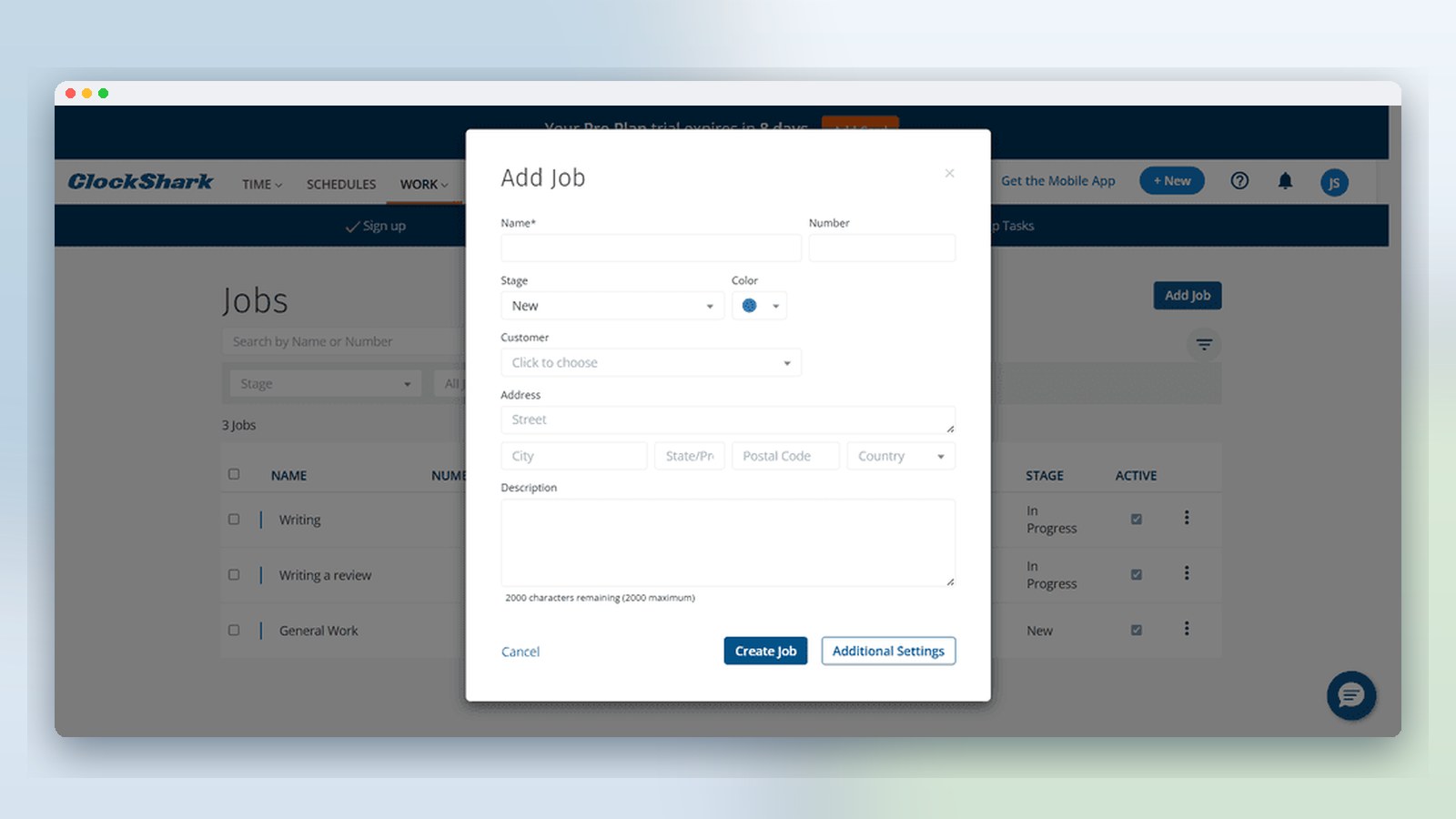
Screenshots sourced from ClockShark's publicly available materials and shown for identification and review purposes. Interface shown may differ from the current release.
Pricing
How much does ClockShark cost?
ClockShark is priced per user per month, with plans that separate basic time tracking from scheduling and job costing. A free trial is available and plan details typically starts around $20 per user per month on annual billing, with tiered plans for larger crews and additional features.
Get PricingStandard
Time tracking, GPS clock-in, timesheets and basic reporting.
Pro
Adds scheduling, job costing, PTO and paid breaks.
Enterprise / custom
Configurable plan for larger multi-crew operations.
Across public reviews, ClockShark is generally seen as fair value for construction and field service crews replacing paper timesheets. Some reviewers note that scheduling and job costing only unlock on the higher plan, and that per-user plan details adds up as crews grow.
Plan details references are based on publicly available third-party information and industry benchmarks. Actual costs may vary.
Who it's for
Who is ClockShark for?
Use cases
Common ways teams use ClockShark
Replacing paper timesheets on job sites
Move crew hours off paper and text messages into a mobile app with GPS-tagged clock-ins.
Scheduling crews across multiple jobs
Plan the week from a drag-and-drop scheduler and push shift updates to phones in real time.
Cleaner job costing and payroll exports
Tag every hour to a job and task, then export straight to QuickBooks, Xero or your payroll provider.
Tracking who's on site right now
Give supervisors a live view of active crews, jobs and locations without calling around.
What users say
Aggregated from public reviews, sentiment toward ClockShark is broadly positive among construction, field service and skilled-trade employers. Users regularly cite the simple mobile clock-in flow, GPS accuracy on job sites, Crew Clock for foremen, and responsive customer support. Common criticisms include reporting depth and flexibility, occasional syncing issues on older phones, and that scheduling and job costing sit on the higher-priced plan. Reviews are most often written by operations managers, foremen and small-business owners.
Features
ClockShark features
Capabilities listed on the official site, summarised in our own words. Exact availability varies by plan.
GPS time tracking
Mobile clock-in and clock-out with GPS location captured on every punch.
Crew Clock
Foremen can clock an entire crew in and out from a single phone in one action.
Employee scheduling
Drag-and-drop scheduling for jobs, tasks and shifts, with mobile notifications.
Job and task tracking
Time is tagged to a job and task so payroll and job costing come from the same data.
Payroll and accounting integrations
Exports and integrations with QuickBooks, Xero, Gusto, ADP and other payroll systems.
Pros & cons
ClockShark pros and cons
Pros
- Simple mobile clock-in for field crews
- Crew Clock streamlines foreman workflows
- GPS location on every punch
- Responsive customer support noted in reviews
- Cleaner payroll exports to QuickBooks and Xero
Cons
- Reporting depth can feel limited for larger operators
- Scheduling and job costing sit on the higher plan
- Occasional sync issues on older mobile devices
FAQ
Common questions about ClockShark
Request a demo
Share a few details and we'll help arrange a ClockShark walkthrough for your workflow.
Software Finder is an independent software marketplace, not ClockShark, and not affiliated with or endorsed by them.
By submitting, you agree to Software Finder's Terms of Service and Privacy Policy and consent to be contacted by Software Finder and one or more matchedsoftware vendors (which may include ClockShark) about your request. You can opt out at any time.
Next step
Still comparing options? See ClockShark in action.
Software Finder helps you gather the information that actually drives a software decision, a real walkthrough of ClockShark and a clear view of how it compares to similar platforms.
- See ClockShark in a live walkthrough
- Connect with the right team
- Compare against similar platforms
- Independent guidance