

Logo shown is the property of Buddy Punch, used for identification purposes only.
Get Buddy Punch Pricing & Demo
Compare plans, book a live demo, and see how Buddy Punch fits your team.
Buddy Punch brings employee time tracking, scheduling, PTO and payroll-ready reporting together for hourly and distributed teams. Its focus on time and attendance means teams needing full HR may combine it with other tools. Tell us your needs and we'll return current pricing.
Key takeaways
Buddy Punch is a time-clock and employee time-tracking platform combining punch-in controls, scheduling, PTO and payroll-ready reporting. Across public reviews the majority of feedback is positive, with users highlighting the ease of setup and the GPS and photo punch controls. Recurring criticisms centre on occasional app glitches and limited depth for complex HR needs.
See the plan that fits your team
Share a few details and we'll send Buddy Punch pricing matched to your HR needs.
Independent guidance
Software Finder is an independent software marketplace, not Buddy Punch, and not affiliated with or endorsed by them.
By submitting, you agree to Software Finder's Terms of Service and Privacy Policy and consent to be contacted by Software Finder and one or more matchedsoftware vendors (which may include Buddy Punch) about your request. You can opt out at any time.
Overview
What is Buddy Punch?
Buddy Punch is a cloud-based time-tracking and time-clock platform for businesses with hourly, remote or on-site staff. It combines employee punch-in from web and mobile, GPS and photo verification, scheduling, PTO tracking, overtime rules and payroll-ready reporting in one system. The aim is to give managers an accurate, verifiable record of worked hours that flows straight into payroll.
Best for
Buddy Punch is best for small and mid-sized businesses that need accurate, verifiable time tracking for hourly and distributed teams. Its standout element, frequently highlighted by reviewers, is punch verification, GPS, geofencing and photo capture help confirm who clocked in and where, reducing time-theft concerns.
Time tracking
Punch in and out from web or mobile
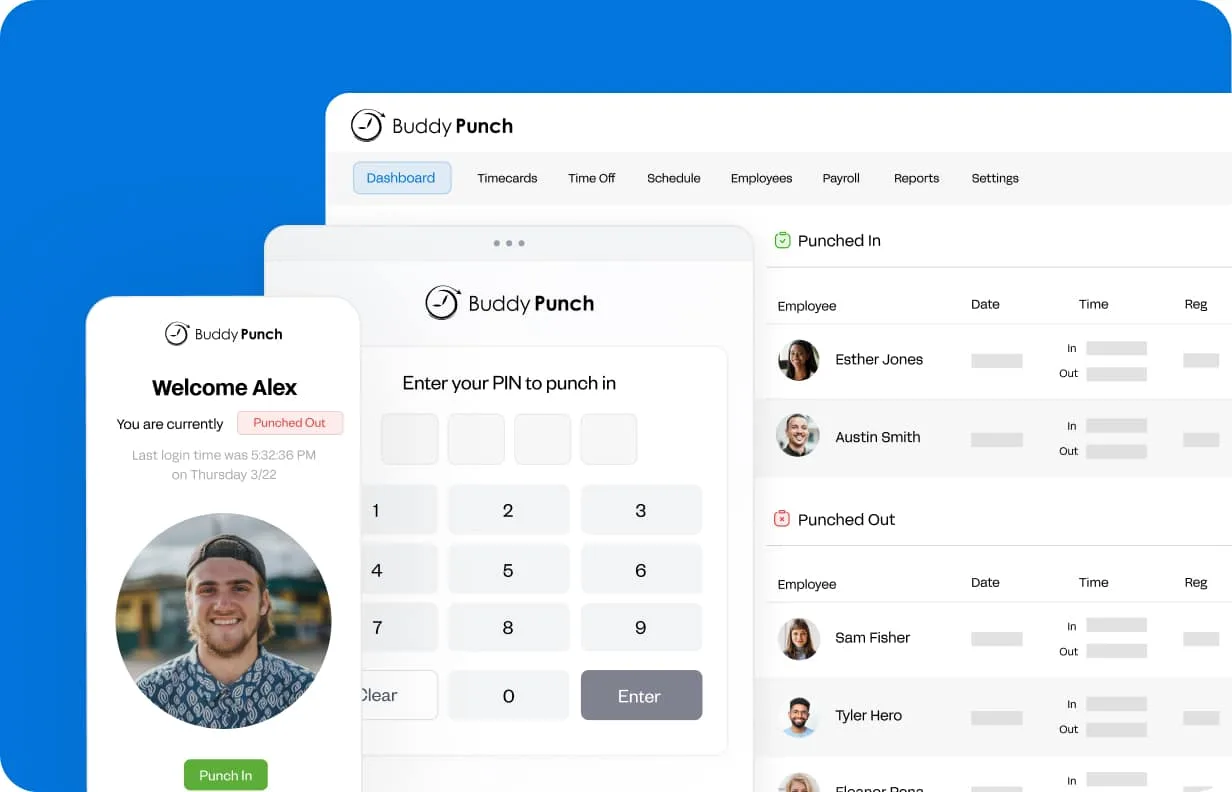
Buddy Punch lets employees punch in and out from web or mobile, with options like GPS, geofencing and photo capture to confirm who is clocking in and where. Hours flow into timesheets automatically.
- Web and mobile punch-in
- GPS, geofencing and photo controls
- Automatic timesheets
Screenshots sourced from Buddy Punch's publicly available materials and shown for identification and review purposes. Interface shown may differ from the current release.
Scheduling & PTO
Build schedules and manage time off
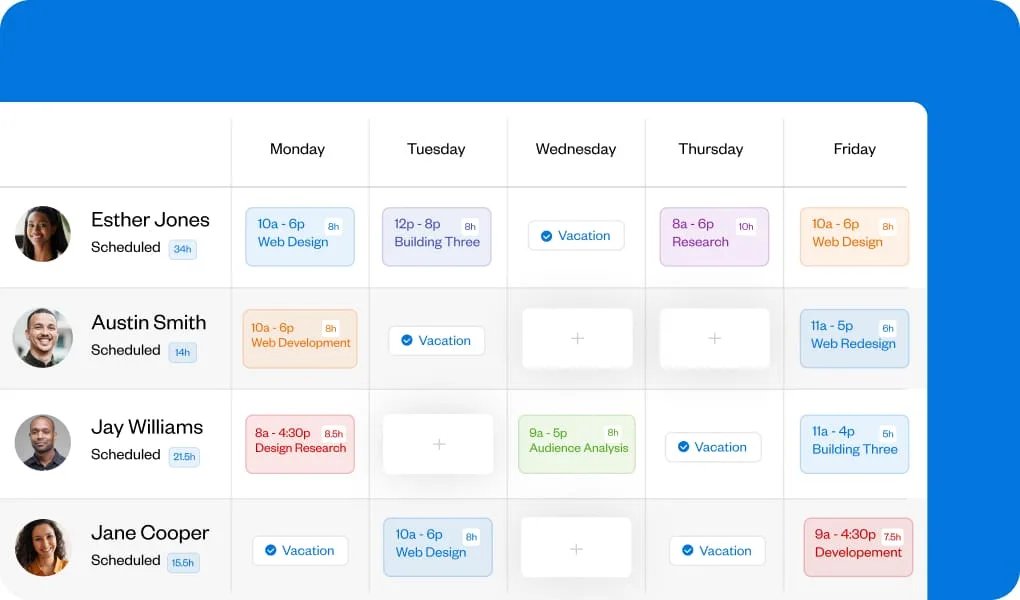
Managers can create schedules, notify staff of shifts and handle PTO requests and accruals in the same system, keeping time off and worked hours aligned.
- Shift scheduling and alerts
- PTO requests and accruals
- Overtime and break tracking
Screenshots sourced from Buddy Punch's publicly available materials and shown for identification and review purposes. Interface shown may differ from the current release.
Payroll & reporting
Turn hours into payroll-ready data
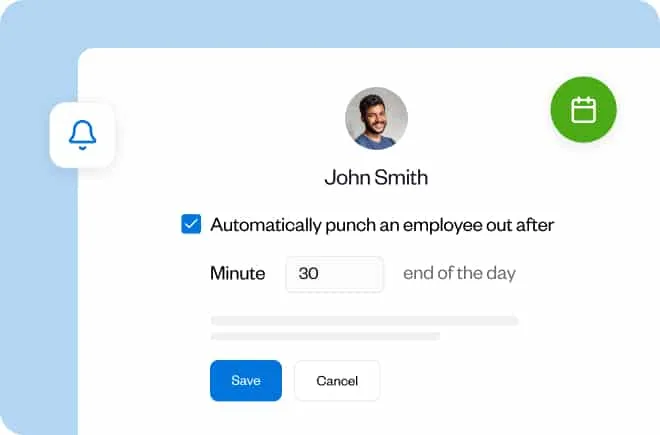
Approved hours can be exported or sent to integrated payroll providers, and reports summarise time, overtime and labor cost so managers can review before running pay.
- Payroll exports and integrations
- Overtime and labor reports
- Approvals before payroll
Screenshots sourced from Buddy Punch's publicly available materials and shown for identification and review purposes. Interface shown may differ from the current release.
Pricing
How much does Buddy Punch cost?
Buddy Punch is offered in tiered plans priced per user with a base fee, where higher tiers add scheduling and advanced features. A trial is typically available.
Get PricingCore tier
Time tracking and punch controls for hourly teams.
Mid tier
Adds scheduling and additional controls.
Higher tiers
Add advanced features and priority support.
Across public reviews, Buddy Punch is generally described as good value for time tracking, with several noting easy setup, though some mention that adding scheduling and advanced features raises the price.
Plan details references are based on publicly available third-party information and industry benchmarks. Actual costs may vary.
Who it's for
Who is Buddy Punch for?
Use cases
Common ways teams use Buddy Punch
Tracking employee hours
Capture verified punch-ins from web and mobile.
Verifying location
Use GPS, geofencing and photos to confirm punches.
Managing PTO
Handle time-off requests and accruals in one place.
Preparing payroll
Approve hours and export to payroll providers.
What users say
Aggregated from public reviews, sentiment toward Buddy Punch is largely favourable: users value the easy setup, punch verification and payroll integrations. The most common criticisms are occasional app glitches and that it is not a full HR suite. Reviewers are most often managers and owners at small and mid-sized businesses with hourly staff.
Features
Buddy Punch features
Capabilities listed on the official site, summarised in our own words. Exact availability varies by plan.
Time clock
Web and mobile punch-in with GPS and photos.
Scheduling
Build shifts and notify staff.
PTO tracking
Manage requests, accruals and balances.
Overtime rules
Apply overtime and break policies.
Payroll reporting
Export payroll-ready hours and reports.
Pros & cons
Buddy Punch pros and cons
Pros
- Easy to set up and use
- GPS and photo punch verification
- Scheduling and PTO included
- Payroll integrations
- Good for distributed teams
Cons
- Occasional app glitches
- Advanced features raise the price
- Not a full HR suite
FAQ
Common questions about Buddy Punch
Request a demo
Share a few details and we'll help arrange a Buddy Punch walkthrough for your workflow.
Software Finder is an independent software marketplace, not Buddy Punch, and not affiliated with or endorsed by them.
By submitting, you agree to Software Finder's Terms of Service and Privacy Policy and consent to be contacted by Software Finder and one or more matchedsoftware vendors (which may include Buddy Punch) about your request. You can opt out at any time.
Next step
Still comparing options? See Buddy Punch in action.
Software Finder helps you gather the information that actually drives a software decision, a real walkthrough of Buddy Punch and a clear view of how it compares to similar platforms.
- See Buddy Punch in a live walkthrough
- Connect with the right team
- Compare against similar platforms
- Independent guidance