

Logo shown is the property of Pipeline CRM, used for identification purposes only.
Get Pipeline CRM Pricing & Demo
Compare plans, book a live demo, and see how Pipeline CRM fits your team.
Pipeline CRM is a sales-focused CRM aimed at small and mid-sized teams, covering deal tracking, contacts and reporting without heavy setup. Because it stays focused on core sales workflows, teams needing deep marketing or service tools may need to pair it with other software. Tell us your requirements and we'll return current pricing.
See the plan that fits your team
Share a few details and we'll send Pipeline CRM pricing matched to your CRM needs.
Independent guidance
Software Finder is an independent software marketplace, not Pipeline CRM, and not affiliated with or endorsed by them.
By submitting, you agree to Software Finder's Terms of Service and Privacy Policy and consent to be contacted by Software Finder and one or more matchedsoftware vendors (which may include Pipeline CRM) about your request. You can opt out at any time.
- Pricing matched to your team size
- Independent guidance
- Compare with similar platforms
Key takeaways
Pipeline CRM is a sales-focused CRM for small and mid-sized businesses, covering deal pipelines, contact management, email and reporting. Across public reviews, most feedback is positive, with users pointing to ease of use and quick setup. Recurring criticisms mention limited depth in marketing features and some reporting customisation.
Overview
What is Pipeline CRM?
Pipeline CRM is a sales customer relationship management platform built around deal tracking, contact management and reporting. It organises leads and deals into a visual pipeline, keeps contact and company records together, and includes email tools so reps can communicate without switching apps. The aim is a straightforward CRM that a sales team can start using quickly without heavy configuration.
Best for
Pipeline CRM is best for small and mid-sized sales teams that want a straightforward CRM focused on managing deals and contacts rather than a broad suite of marketing or service modules. Its standout element, frequently highlighted by reviewers, is ease of setup, teams can get a working pipeline in place quickly without extensive configuration.
Sales pipeline
Track deals through a visual pipeline
Pipeline CRM organises deals into stages so sales reps can see what is moving, what is stalled and what needs follow-up. Contact and company records sit alongside each deal, keeping the sales history in one place.
- Visual, stage-based deal tracking
- Contact and company records
- Activity and follow-up reminders
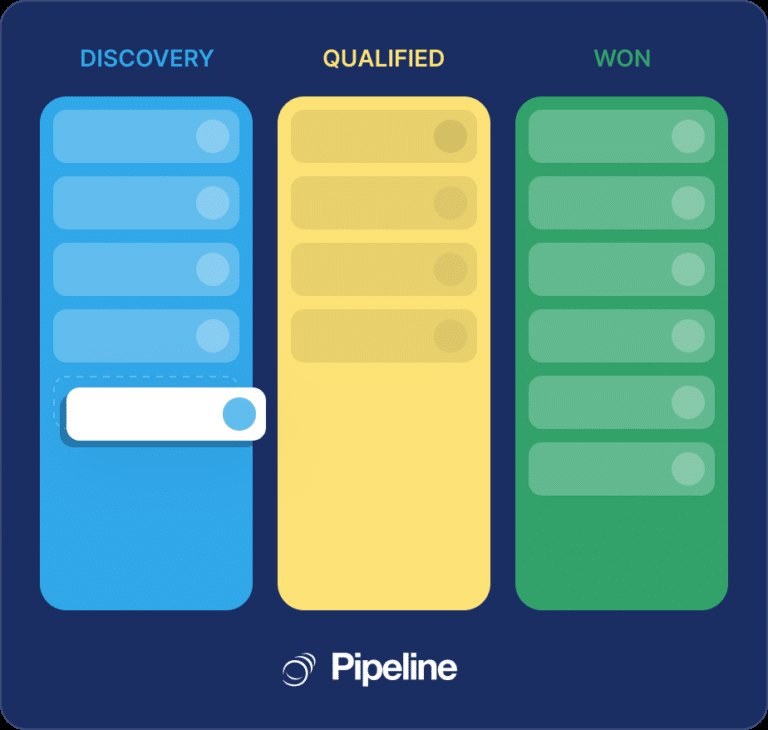
Screenshots sourced from Pipeline CRM's publicly available materials and shown for identification and review purposes. Interface shown may differ from the current release.
Email & reporting
Send email and review sales reports
Built-in email tools let reps message contacts and track engagement without leaving the CRM, while reporting features summarise pipeline value, activity and rep performance for managers.
- Email sending and tracking
- Pipeline and performance reports
- Custom dashboards for managers
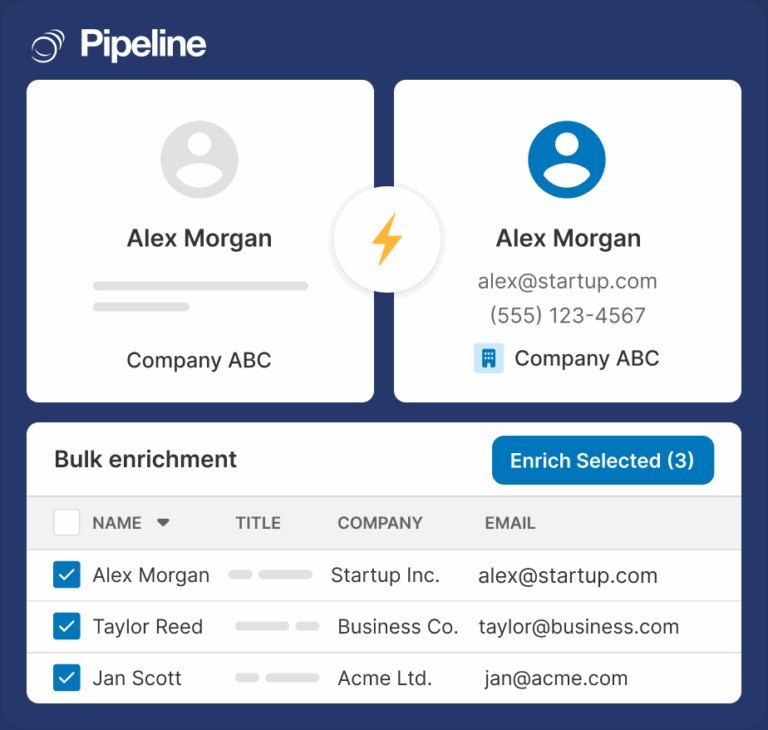
Screenshots sourced from Pipeline CRM's publicly available materials and shown for identification and review purposes. Interface shown may differ from the current release.
Pricing
How much does Pipeline CRM cost?
Pipeline CRM is offered in tiered plans typically structured per user per month, with higher tiers adding automation and reporting depth.
Get PricingStarter tiers
Core pipeline, contact management and basic reporting.
Mid tiers
Additional automation, email tracking and reporting options.
Higher tiers
Advanced customisation and reporting for larger sales teams.
Across public reviews, Pipeline CRM is generally seen as reasonably structured for small and mid-sized sales teams, with some buyers noting that advanced reporting sits in higher tiers.
Plan details is subject to change.
Who it's for
Who is Pipeline CRM for?
Use cases
Common ways teams use Pipeline CRM
Tracking deals through a pipeline
Move deals through defined stages while keeping contact and company details attached to each record.
Managing sales email
Send and track email to contacts directly from the CRM without switching tools.
Reviewing sales performance
Use reports and dashboards to see pipeline value and rep activity at a glance.
Setting follow-up reminders
Keep reps on top of next steps with activity and follow-up reminders tied to each deal.
What users say
Aggregated from public reviews, sentiment toward Pipeline CRM is largely positive: users value the straightforward setup, visual pipeline and responsive support. The most common criticisms are that marketing features are limited compared to broader suites and that some reporting options feel less flexible than in larger platforms. Reviewers are most often sales reps and sales managers at small and mid-sized companies.
Features
Pipeline CRM features
Capabilities listed on the official site, summarised in our own words. Exact availability varies by plan.
Visual deal pipeline
Track deals through customisable stages with a clear visual layout.
Contact and company management
Keep contact, company and deal history together in one record.
Email tools
Send and track email to contacts without leaving the CRM.
Reporting and dashboards
Review pipeline value, activity and performance through reports.
Activity reminders
Set follow-up reminders so deals don't stall without attention.
Pros & cons
Pipeline CRM pros and cons
Pros
- Straightforward to set up
- Clear, visual pipeline view
- Useful built-in email tools
- Reasonable plan details for smaller teams
- Responsive customer support
Cons
- Limited marketing features
- Some reporting feels basic
- Fewer advanced integrations than larger platforms
FAQ
Common questions about Pipeline CRM
Request a demo
Share a few details and we'll help arrange a Pipeline CRM walkthrough for your workflow.
Software Finder is an independent software marketplace, not Pipeline CRM, and not affiliated with or endorsed by them.
By submitting, you agree to Software Finder's Terms of Service and Privacy Policy and consent to be contacted by Software Finder and one or more matchedsoftware vendors (which may include Pipeline CRM) about your request. You can opt out at any time.
Next step
Still comparing options? See Pipeline CRM in action.
Software Finder helps you gather the information that actually drives a software decision, a real walkthrough of Pipeline CRM and a clear view of how it compares to similar platforms.
- See Pipeline CRM in a live walkthrough
- Connect with the right team
- Compare against similar CRM platforms
- Independent guidance